9 Best Yale Smart Locks with Touchscreen, Compared
As an Amazon Associate we earn from qualifying purchases. Links on this page are affiliate links.
Finding the best yale deadbolts with touchscreen requires looking at the published specifications for each model. We compared 9 options to help you choose the right hardware for your door. The Yale Assure Lock 2 Touchscreen Bluetooth Deadbolt leads this list because its Grade 2 deadbolt rating and local Bluetooth control offer reliable, secure access without complex networking. These picks are based strictly on the specs provided by the manufacturers. Use this guide to decide which connectivity type and physical design fit your home setup.
Quick picks
The best fit for you
- You want the best overall touchscreen security Yale Assure Lock 2 Touchscreen Bluetooth Deadbolt It features Grade 2 deadbolt security and responsive Bluetooth operation.
- You need remote guest access with Wi-Fi Yale Assure Lock 2 Wi-Fi Touchscreen Deadbolt The bundled Wi-Fi bridge allows complete remote management and scheduling.
- You want sturdy entry without built-in Wi-Fi Yale Assure Deadbolt Satin Nickel It provides a code-based system without immediate smart features.
- You have a Z-Wave smart home setup Yale Assure Lock 2 Touchscreen Z-Wave Deadbolt It integrates directly into your existing Z-Wave network for keyless access.
- You have a single-hole lever door Yale Assure Touchscreen Wi-Fi Lever Lock It combines handle hardware and auto-locking for doors without deadbolt openings.
Our 9 picks

Yale Assure Lock 2 Touchscreen Bluetooth Deadbolt
Best for: touchscreen security with local Bluetooth app control
- Access Method
- Touchscreen (what this guide is about)
- Access Methods
- Keypad, app
- Connectivity
- Bluetooth
- Installation Type
- Deadbolt replacement
- Material
- Brass
- Dimensions
- 0.88 × 2.6 × 3.75 inches
View on Amazon: Yale Assure Lock 2 Touchscreen Bluetooth Deadbolt
This Yale Assure Lock 2 is a deadbolt replacement featuring a touchscreen keypad and Bluetooth connectivity. You manage entry through local PIN codes or the Yale Access app. It includes DoorSense technology for automatic locking once the door closes and carries an ANSI/BHMA Grade 2 certification. It suits you if you want key-free access with local smartphone control and fingerprint-resistant keypad input without relying on Wi-Fi.
Pros
- ANSI/BHMA Grade 2 certified security rating
- DoorSense technology automatically locks when closed
- Matte touchscreen keypad designed for fingerprint resistance
- Replaces standard deadbolts with just a screwdriver
Cons
- Uses Bluetooth without integrated Wi-Fi connectivity
- Operates only in the US and Canada
- Lacks a physical keyway backup
Good fit if
- You want a touchscreen deadbolt with Bluetooth app control.
- You need automatic locking activated by a door sensor.
- You prefer managing guest codes through your smartphone.
Skip if
- You need built-in Wi-Fi connectivity out of the box.
- You reside outside the US or Canada.
- You want a traditional physical key cylinder for manual entry.
Verdict: Yale Assure Lock 2 Touchscreen Deadbolt delivers Grade 2 deadbolt security with responsive touchscreen and Bluetooth operation. It provides automated DoorSense locking and simple code management without complex networking.

Yale Assure Lock 2 Wi-Fi Touchscreen Deadbolt
Best for: remote guest access with included Wi-Fi bridge
- Access Method
- Touchscreen (what this guide is about)
- Access Methods
- Door codes, app
- Installation Type
- Replaces deadbolt
- Connectivity
- Wi-Fi
- Color
- Oil Rubbed Bronze
- Dimensions
- 0.88 × 2.5 × 4.88 inches
View on Amazon: Yale Assure Lock 2 Wi-Fi Touchscreen Deadbolt
The Yale Assure Lock 2 Touchscreen Wi-Fi Deadbolt replaces your standard deadbolt using only a screwdriver. You get touchscreen keypad and Yale Access app access, supported by an included plug-in Yale Connect Wi-Fi Bridge for remote management. It features built-in DoorSense technology to automatically lock when the door closes. This setup suits you if you manage guests and need remote access codes right out of the box.
Pros
- Includes Yale Connect Wi-Fi Bridge for remote app control
- DoorSense detects door closure for automatic locking
- Supports unique and temporary guest codes via Yale Access app
- Installs on standard doors using a standard screwdriver
Cons
- Included Wi-Fi bridge requires a nearby power outlet
- Operational support is limited to the US and Canada
- Lacks a physical key cylinder backup
Good fit if
- You want remote app access without purchasing a separate bridge.
- You host visitors and need temporary, schedule-based entry codes.
- You want automatic deadbolt locking driven by a door sensor.
Skip if
- You live outside the United States or Canada.
- You do not have a free electrical outlet near your entry door.
- You require a traditional physical keyway for backup entry.
Verdict: Yale Assure Lock 2 Touchscreen Wi-Fi Deadbolt provides complete remote management and guest entry scheduling with its bundled Wi-Fi bridge. It is an effective keyless upgrade for standard deadbolt setups.
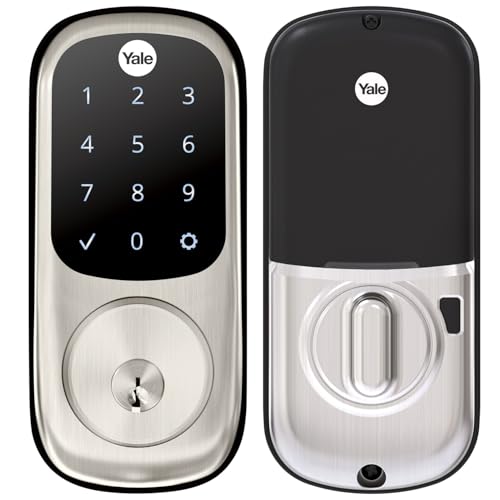
Yale Assure Deadbolt Satin Nickel
Best for: Keyless entry without built-in Wi-Fi
- Access Method
- Keypad, Touchscreen, Key (what this guide is about)
- Access Methods
- Keypad, Key
- Installation Type
- Deadbolt replacement
- Auto-Lock Delay
- Auto-lock
- Included Door Hardware
- Deadbolt
- Connectivity
- Wi-Fi
This Yale Assure lock features a touchscreen keypad for keyless entry. It includes an auto-lock function that secures the door automatically. The unit measures 5.5 by 10 inches and weighs 3 pounds. It fits standard doors from 1-3/4 to 2-1/4 inches thick. You can share unique codes with family and friends. Note that smartphone control requires a separate upgrade kit.
Pros
- Touchscreen keypad for code entry
- Auto-lock feature for security
- Fits standard door thicknesses
- Unique code sharing capability
Cons
- No built-in Wi-Fi connectivity
- Smartphone access requires separate kit
- Heavier than some competitors at 3 pounds
Good fit if
- You want a reliable touchscreen lock
- You prefer not to carry keys
- You plan to upgrade to Wi-Fi later
Skip if
- You need immediate Wi-Fi connectivity
- You require built-in app control
- You have doors thinner than 1-3/4 inches
Verdict: Yale Assure Touchscreen Deadbolt, Satin Nickel suits those who want a sturdy, code-based entry system without immediate smart features. It is a solid choice for users willing to add connectivity later.

Yale Assure Lock 2 Touchscreen Z-Wave Deadbolt
Best for: Z-Wave smart home setups needing keyless access
- Access Method
- Keypad, Touchscreen, Key (what this guide is about)
- Access Methods
- Keypad, voice assistant, app
- Connectivity
- Z-Wave
- Smart Home Compatibility
- Samsung SmartThings, Hubitat
- User Code Capacity
- Unlimited
- Color
- Oil Rubbed Bronze
View on Amazon: Yale Assure Lock 2 Touchscreen Z-Wave Deadbolt
The Yale Assure Lock 2 Touch Key-Free Z-Wave Deadbolt gives you touchscreen entry and smart connectivity without a physical keyway. It integrates directly with Z-Wave hubs like Samsung SmartThings and Hubitat, allowing you to share unlimited user codes and trigger automated locking. Compact at 3.75 inches tall, this lock suits you if you run an established Z-Wave smart home hub and want keyless entry.
Pros
- Supports unlimited user codes shared through compatible app
- Integrates with Z-Wave systems including Samsung SmartThings and Hubitat
- Key-free design removes the risk of lock picking
- Features automated locking and Auto-Unlock capabilities
Cons
- Requires a separate compatible Z-Wave hub and app
- Lacks a physical keyhole for traditional key backup
Good fit if
- You run a compatible Z-Wave hub like Hubitat or Samsung SmartThings.
- You want a fully key-free touchscreen lock with unlimited guest access codes.
Skip if
- You do not own or plan to install a compatible Z-Wave hub.
- You require a physical mechanical key cylinder on your door.
Verdict: Yale Assure Lock 2 Touch Key-Free Z-Wave Deadbolt delivers compact, keyless touchscreen security directly integrated into your existing Z-Wave network. It provides flexible code management and automated locking without relying on traditional keys.

Yale Assure Touchscreen Z-Wave Deadbolt
Best for: Z-Wave hub users seeking code entry
- Access Method
- Touchscreen, Key (what this guide is about)
- Access Methods
- Keypad, Key, App (via hub)
- Connectivity
- Z-Wave
- Installation Type
- Deadbolt replacement
- Included Door Hardware
- Deadbolt only
- Color
- Black
This Yale deadbolt uses Z-Wave connectivity to integrate with smart home hubs like Samsung SmartThings or Ring Alarm. It features a touchscreen keypad for code entry and includes auto-lock functionality. The lock is BHMA Grade 2 certified and motorized. It requires a separate hub and app for remote access, as it does not use the Yale app directly. This model is designed for standard doors between 1-¾” and 2-¼” thick.
Pros
- Z-Wave connectivity for hub integration
- BHMA Grade 2 certified deadbolt
- Auto-lock feature for peace of mind
- Touchscreen keypad access
Cons
- Requires a compatible hub sold separately
- No direct Wi-Fi or Bluetooth connectivity
- Does not use the Yale app
Good fit if
- You already use a Z-Wave smart home system
- You prefer code entry over physical keys
- You want auto-locking without monthly fees
Skip if
- You want built-in Wi-Fi or Bluetooth
- You prefer using the Yale app directly
- You need a lever handle instead of a deadbolt
Verdict: Yale Assure Lock Touchscreen Z-Wave Black Suede fits users with existing Z-Wave hubs who want reliable, code-based entry without extra monthly costs.

Yale Assure Lock 2 Keyed Z-Wave Touchscreen Deadbolt
Best for: Z-Wave smart homes wanting physical key backup
- Access Method
- Keypad, Touchscreen (what this guide is about)
- Access Methods
- Key, keypad, Auto-Unlock, app
- Connectivity
- Z-Wave
- Smart Home Compatibility
- Samsung SmartThings, Ring Alarm, Wink
- User Code Capacity
- Unlimited
- Color
- Satin Nickel
View on Amazon: Yale Assure Lock 2 Keyed Z-Wave Touchscreen Deadbolt
This Yale deadbolt pairs a touchscreen keypad with a traditional key cylinder and built-in Z-Wave connectivity. You can unlock via key, touchscreen code, the Yale Access app, or hands-free Auto-Unlock. With a compatible Z-Wave hub, it links into systems like Ring Alarm and Samsung SmartThings. It suits homeowners who want flexible smart home automation while keeping a physical key backup for everyday entry.
Pros
- Offers physical key access alongside touchscreen, app, and Auto-Unlock entry
- Integrates with Z-Wave hubs like Samsung SmartThings, Ring Alarm, and Wink
- Supports unlimited user codes via the Yale Access app
- Includes DoorSense for automated locking once the door closes
Cons
- Requires a compatible Z-Wave hub and app for remote access
- Does not function outside the United States and Canada
Good fit if
- You already use or plan to install a compatible Z-Wave smart home hub.
- You prefer having a standard physical key backup alongside digital touchscreen codes.
- You want hands-free Auto-Unlock through the Yale Access app.
Skip if
- You live outside the United States or Canada.
- You want an all-in-one Wi-Fi lock without managing an external Z-Wave hub.
Verdict: Yale Assure Lock 2 Keyed Z-Wave Touchscreen Deadbolt gives you reliable Z-Wave network integration without sacrificing traditional key access. It is a practical choice for connected homes running hubs like SmartThings or Ring Alarm.

Yale Assure Lock Wi-Fi 1st Gen
Best for: direct Wi-Fi smart entry without a hub
- Access Method
- Keypad, Touchscreen, Key, App Control (what this guide is about)
- Access Methods
- Keypad, App, Key, Voice
- Smart Home Compatibility
- Alexa, Google Assistant, Siri
- Installation Type
- Full deadbolt replacement
- Auto-Lock Delay
- Auto-Relock enabled
- Connectivity
- Wi-Fi
This Yale smart lock replaces your existing deadbolt with a touchscreen keypad and built-in Wi-Fi. It connects directly to your home network without a hub. You can lock, unlock, and monitor the door from anywhere using the Yale Access App. The unit measures 6.06 inches high and weighs 4.5 pounds. It supports voice control and auto-relocking features for added convenience.
Pros
- Built-in Wi-Fi connectivity requires no additional hub
- Touchscreen keypad allows keyless entry
- App control enables remote locking and unlocking
- Compatible with Alexa, Google, and Siri
Cons
- Heavier build at 4.5 pounds compared to lighter models
- Limited to US and Canada operation
- First-generation Wi-Fi model lacks newer connectivity options
Good fit if
- You want direct Wi-Fi connection without a hub
- You prefer touchscreen entry over lever handles
- You need remote app control for access management
Skip if
- You live outside the United States or Canada
- You require Z-Wave or Zigbee compatibility
- You prefer a lever-style lock instead of a deadbolt
Verdict: Yale Assure Lock 2 Touchscreen Wi-Fi offers direct Wi-Fi access and app control for users who want hub-free smart entry. It suits homeowners in the US or Canada who prioritize touchscreen convenience and remote monitoring capabilities.
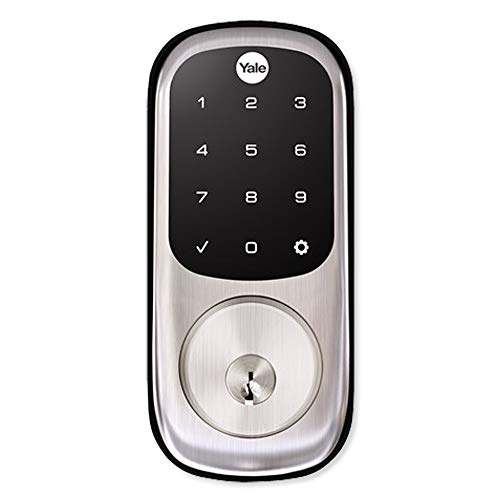
Yale Assure Lock Zigbee Touchscreen Deadbolt
Best for: Zigbee smart home setups needing key backup
- Access Method
- Keypad, Touchscreen (what this guide is about)
- Access Methods
- Touchscreen keypad, key
- Connectivity
- Zigbee
- Smart Home Compatibility
- Xfinity Home, Echo Show, Echo Plus
- Color
- Satin Nickel
- Dimensions
- 5.5 × 5.5 × 10 inches
View on Amazon: Yale Assure Lock Zigbee Touchscreen Deadbolt
The Yale Assure Touchscreen Deadbolt with Zigbee provides keyless entry via a backlit touchscreen alongside traditional key access with two included physical keys. It integrates directly with Zigbee-enabled hubs, including Xfinity Home and select Echo devices. You get configurable unique entry codes and built-in auto-relock functionality. This deadbolt suits you if you already run a compatible Zigbee home network and want physical key backup on your door.
Pros
- Integrates with Zigbee smart systems including Xfinity Home and Echo Show
- Includes two physical backup keys alongside the touchscreen
- Backlit touchscreen keypad with one-tap locking
- Configurable auto-relock function toggleable from the lock menu
Cons
- Requires a separate compatible Zigbee hub for remote access
- No built-in Wi-Fi or Bluetooth listed
Good fit if
- You use a Zigbee smart platform such as Xfinity Home or a compatible Echo device.
- You prefer having physical key cylinders as a backup to keypad entry.
Skip if
- You want standalone Wi-Fi or Bluetooth connectivity without an external hub.
- You prefer a key-free design with no physical keyhole.
Verdict: Yale Assure Touchscreen Deadbolt with Zigbee gives you keypad and physical key access tailored for Zigbee smart home setups. It is ideal if you manage your door through an Xfinity Home system or a compatible Echo hub.
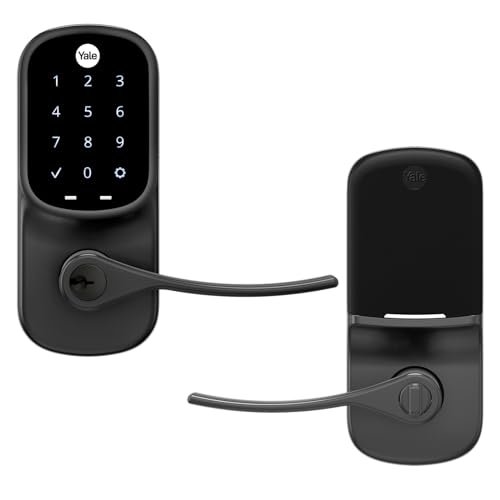
Yale Assure Touchscreen Wi-Fi Lever Lock
Best for: doors with single-hole lever installations
- Access Method
- Keypad, Touchscreen (what this guide is about)
- Access Methods
- Keypad
- Installation Type
- Lever or knob replacement
- Included Door Hardware
- Lever handle
- Connectivity
- Wi-Fi
- Color
- Black
The Yale Assure Lever replaces standard door knobs or levers on single-hole doors without a deadbolt. This model features a backlit touchscreen keypad, Wi-Fi connectivity, and integrated lever hardware. You can program unique PIN codes for entry and activate the auto-lock function to secure the door automatically. It measures 6.06 inches high by 2.75 inches wide. This lock suits you if you need keyless entry on a single-bore interior or exterior door.
Pros
- Installs on single-hole doors without a separate deadbolt
- Includes Wi-Fi connectivity and PIN code touchscreen access
- Features automatic locking and customizable entry codes
- Backed by a lifetime limited mechanical and finish warranty
Cons
- Replaces only levers or knobs, not standard deadbolts
- Requires PIN entry without a physical key cylinder option listed
Good fit if
- You have a single-hole door that lacks a deadbolt prep.
- You prefer touchscreen PIN entry with built-in Wi-Fi integration.
Skip if
- You need a dedicated deadbolt mechanism for your door.
- You require physical key override access.
Verdict: Yale Assure Touchscreen Lever Lock provides keyless touchscreen access and Wi-Fi control for single-hole doors that lack a deadbolt opening. It combines handle hardware, auto-locking, and PIN code entry into a single integrated unit.
Specifications side by side
| Spec | Yale Assure Lock 2 Touchscreen Bluetooth Deadbolt | Yale Assure Lock 2 Wi-Fi Touchscreen Deadbolt | Yale Assure Deadbolt Satin Nickel | Yale Assure Lock 2 Touchscreen Z-Wave Deadbolt | Yale Assure Touchscreen Z-Wave Deadbolt | Yale Assure Lock 2 Keyed Z-Wave Touchscreen Deadbolt | Yale Assure Lock Wi-Fi 1st Gen | Yale Assure Lock Zigbee Touchscreen Deadbolt | Yale Assure Touchscreen Wi-Fi Lever Lock |
|---|---|---|---|---|---|---|---|---|---|
| Access Methods | Keypad, app | Door codes, app | Keypad, Key | Keypad, voice assistant, app | Keypad, Key, App (via hub) | Key, keypad, Auto-Unlock, app | Keypad, App, Key, Voice | Touchscreen keypad, key | Keypad |
| Connectivity | Bluetooth | not specified | not specified | Z-Wave | Z-Wave | Z-Wave | not specified | Zigbee | not specified |
| Smart Home Compatibility | not specified | not specified | not specified | Samsung SmartThings, Hubitat | not specified | Samsung SmartThings, Ring Alarm, Wink | Alexa, Google Assistant, Siri | Xfinity Home, Echo Show, Echo Plus | not specified |
| Installation Type | Deadbolt replacement | Replaces deadbolt | Deadbolt replacement | not specified | Deadbolt replacement | not specified | Full deadbolt replacement | not specified | Lever or knob replacement |
| Auto-Lock Delay | not specified | not specified | Auto-lock | not specified | not specified | not specified | Auto-Relock enabled | not specified | not specified |
| User Code Capacity | not specified | not specified | not specified | Unlimited | not specified | Unlimited | not specified | not specified | not specified |
| Included Door Hardware | not specified | not specified | Deadbolt | not specified | Deadbolt only | not specified | not specified | not specified | Lever handle |
| Access Method | Touchscreen | Touchscreen | Keypad, Touchscreen, Key | Keypad, Touchscreen, Key | Touchscreen, Key | Keypad, Touchscreen | Keypad, Touchscreen, Key, App Control | Keypad, Touchscreen | Keypad, Touchscreen |
| Color | Lifetime Brass | Oil Rubbed Bronze | Satin Nickel | Oil Rubbed Bronze | Black | Satin Nickel | Oil Rubbed Bronze | Satin Nickel | Black |
| Application | not specified | not specified | not specified | not specified | not specified | not specified | Front Door | Home | not specified |
| Included Hardware | not specified | not specified | not specified | not specified | not specified | not specified | not specified | not specified | Lever |
| Material | Brass | not specified | not specified | not specified | not specified | not specified | not specified | not specified | not specified |
| Special Features | not specified | not specified | not specified | not specified | not specified | not specified | not specified | not specified | Auto Lock |
| Dimensions | 0.88 × 2.6 × 3.75 inches | 0.88 × 2.5 × 4.88 inches | 5.5 × 5.5 × 10 inches | 0.9 × 2.5 × 3.75 inches | 5.5 × 5.5 × 10 inches | 2.6 × 4.9 × 2.5 inches | 1.38 × 2.75 × 6.06 inches | 5.5 × 5.5 × 10 inches | 1.38 × 2.75 × 6.06 inches |
| Weight | not specified | 4 pounds | 3 pounds | not specified | 4.41 pounds | not specified | 4.5 pounds | 5 pounds | not specified |
| Size | Bluetooth | Wi-Fi (Extended Range) | No Wi-Fi | Keypad | Touchscreen | Keyed | Wi-Fi- 1st Gen | not specified | Touchscreen |
| Model | YRD450-BLE-P05 | YRD420-CB1-0BP | YRD226-NR-619 | YRD430-F-ZW3-0BP | YRD226-ZW2-BSP | YRD420-ZW2-619 | YRD226-CBA-0BP | YRD226-HA2-619 | YRL226-NR-BSP |
How to choose the right one
-
Check your smart home hub
Your existing hub dictates which lock works. If you use Z-Wave, the Yale Assure Lock 2 Z-Wave Deadbolt connects directly to your network. The YRD430-F-ZW3-0BP model integrates with hubs like SmartThings or Ring Alarm without extra hardware. Avoid Bluetooth or Wi-Fi models if your system relies on Z-Wave protocols. Verify your hub supports the specific frequency and protocol of the lock you select to ensure seamless communication and automation triggers.
-
Decide on remote access needs
Determine if you need to lock your door from anywhere. The Yale Assure Lock 2 Wi-Fi Touchscreen Deadbolt includes a Wi-Fi bridge for remote management. This allows you to schedule guest entry and monitor status without a separate hub. If you only need local control via Bluetooth, the YRD450-BLE-P05 model suffices. Choose Wi-Fi for true remote capability, or stick to Bluetooth for simpler, local-only operation without complex networking requirements.
-
Match the finish to your door
Visual consistency matters for curb appeal. The YRD420-CB1-0BP comes in Oil Rubbed Bronze, matching many traditional exterior doors. The YRD226-NR-619 offers Satin Nickel for a modern look. The YRD450-BLE-P05 provides Lifetime Brass for classic styles. Check the specific color code for your chosen model before purchasing. Ensuring the finish matches your existing hardware or door frame prevents visual clashes and maintains a cohesive appearance for your entryway.
-
Consider physical key backup
Some models include a physical key cylinder for emergencies. The YRD420-ZW2-619 is keyed, offering a traditional key backup alongside touchscreen access. The YRD226-ZW2-BSP also supports key entry. If you prefer completely keyless operation, the YRD450-BLE-P05 relies solely on codes and Bluetooth. Decide if you want the security of a physical key as a fallback or if you trust your digital codes and app access entirely for daily entry.
-
Verify door type compatibility
Standard deadbolts differ from lever locks. The YRL226-NR-BSP is a lever lock designed for single-hole doors lacking a deadbolt opening. It combines handle hardware, auto-locking, and PIN entry. Most other models are standard deadbolts requiring a separate handle set. Ensure your door has the correct pre-drilled holes for the lock type you choose. Installing a deadbolt on a door meant for a lever lock, or vice versa, will not fit without significant modification.
Frequently asked questions
Which Yale touchscreen lock works without a smart home hub?
The Yale Assure Lock 2 Touchscreen Bluetooth Deadbolt operates via local Bluetooth control. You can manage it directly through the app without needing a separate hub or bridge. This model provides Grade 2 deadbolt security and automated DoorSense locking. It is ideal for users who want responsive touchscreen access without complex networking setups.
Can I control Yale touchscreen locks remotely without a hub?
Yes, the Yale Assure Lock 2 Wi-Fi Touchscreen Deadbolt enables remote management without an additional hub. It includes a bundled Wi-Fi bridge for extended range connectivity. You can schedule guest entry and monitor the lock from anywhere. The Oil Rubbed Bronze finish adds durability to this keyless upgrade for standard deadbolt setups.
Do I need a Z-Wave hub for these locks?
Only if you choose the Z-Wave models. The Yale Assure Lock 2 Touchscreen Z-Wave Deadbolt connects directly to your existing Z-Wave network. It offers flexible code management and automated locking without traditional keys. This integration works well with hubs like SmartThings or Ring Alarm for a unified smart home experience.
Which Yale lock is best for doors with a lever handle?
The Yale Assure Touchscreen Wi-Fi Lever Lock is designed for single-hole lever installations. It combines handle hardware, auto-locking, and PIN code entry into one unit. This model provides keyless touchscreen access and Wi-Fi control. It is perfect for doors that lack a standard deadbolt opening but need smart security features.
What materials are used in Yale touchscreen deadbolts?
Yale uses various materials depending on the model. The Best Overall pick features a Brass construction with a Lifetime Brass finish. Other options include Oil Rubbed Bronze and Satin Nickel finishes. These materials provide sturdy, code-based entry systems that resist wear. The Assure Lock 2 Touchscreen Bluetooth Deadbolt exemplifies this durable build quality.
How do I manage access codes on these locks?
You manage codes through the associated app or keypad interface. The Yale Assure Lock 2 allows simple code management without complex networking. Z-Wave and Wi-Fi models offer flexible scheduling for guest entry. You can create unique codes for different users. The touchscreen interface ensures responsive operation for entering your PIN to unlock the door.
Can I use a physical key with these smart locks?
Some models include physical key access as a backup. The Yale Assure Deadbolt Satin Nickel supports keypad, touchscreen, and key entry. The Yale Assure Lock 2 Keyed Z-Wave Deadbolt also provides traditional key access. This ensures you are never locked out if the battery dies or the network fails. It adds practical reliability to the smart features.
What is the difference between Z-Wave and Zigbee Yale locks?
Z-Wave models like the Assure Lock 2 integrate with hubs like SmartThings. Zigbee models, such as the Yale Assure Lock Zigbee Touchscreen Deadbolt, work with systems like Xfinity Home or Echo hubs. Both provide keyless touchscreen security. Your choice depends on the protocol supported by your existing smart home ecosystem. Both options offer reliable code-based entry.