Best Deadbolts with Touchscreen in 2026: 15 Picks Ranked by Specs
As an Amazon Associate we earn from qualifying purchases. Links on this page are affiliate links.
Installing a deadbolt with touchscreen provides convenient keyless entry for your home. We compared 15 products based strictly on the specifications published on the listings.
The Kwikset Halo Wi-Fi Touchscreen Smart Deadbolt leads the rankings because it offers built-in Wi-Fi connectivity and stores up to 250 user codes without an extra hub. This guide helps you decide which wireless protocol, physical dimensions, and access methods best match your entryway requirements.
Quick picks
The best fit for you
- You need direct Wi-Fi and high user code storage Kwikset Halo Wi-Fi Touchscreen Smart Deadbolt It features built-in Wi-Fi connectivity and stores up to 250 user codes.
- You want Matter compatibility with Apple home keys access Kwikset Halo Select Plus Touchscreen Deadbolt It integrates native Matter networking alongside Apple home keys support.
- You want a touchscreen deadbolt with Zigbee connectivity Kwikset SmartCode 916 Touchscreen Deadbolt It includes dedicated Zigbee wireless connectivity for smart home systems.
- You prefer an offline touchscreen deadbolt without network hardware Philips Standalone Touchscreen Deadbolt It provides standalone touchscreen access without requiring wireless networks or hubs.
Our 15 picks

Kwikset Halo Wi-Fi Touchscreen Smart Deadbolt
Best for: hub-free Wi-Fi access with high code capacity
- Access Method
- Touchscreen (what this guide is about)
- Access Methods
- Touchscreen, app, auto-unlock
- Smart Home Compatibility
- Amazon Alexa, Google Home
- User Code Capacity
- Up to 250
- Included Door Hardware
- Deadbolt
- Connectivity
- Wi-Fi
View on Amazon: Kwikset Halo Wi-Fi Touchscreen Smart Deadbolt
The Kwikset Halo Wi-Fi Touchscreen Smart Deadbolt connects directly to your home network without an external hub. It features a backlit touchscreen interface that stores up to 250 access codes, along with geofenced automatic unlocking and timed auto-locking. You can operate the lock remotely through the Kwikset app or integrate it with Amazon Alexa and Google Home. It suits you if you want high-capacity code storage and built-in Wi-Fi without buying extra bridge hardware.
Pros
- Built-in Wi-Fi requires no secondary hub or bridge
- Backlit touchscreen stores up to 250 customizable access codes
- Supports geofence auto-unlock and adjustable timed auto-lock
- Integrates with Amazon Alexa and Google Home voice control
Cons
- No integrated fingerprint scanner
- Door thickness compatibility is limited to 1-3/8 inches to 1-3/4 inches
- Electronics warranty lasts 1 year compared to lifetime mechanical coverage
Good fit if
- You want direct Wi-Fi management without buying an extra hub
- You need to store up to 250 unique entry codes for guests
- You use Amazon Alexa or Google Home for smart home control
Skip if
- You want biometric fingerprint authentication directly at the lock
- You have a door thicker than 1-3/4 inches
Verdict: Kwikset Halo Wi-Fi Touchscreen Smart Deadbolt provides hub-free wireless connectivity and a large 250-code memory for flexible keyless access. It delivers straightforward app management and voice platform integration without requiring extra bridge hardware.

Philips Wi-Fi Fingerprint Smart Lock Set
Best for: bundled lever handles with direct Wi-Fi
- Access Method
- Fingerprint, Touchscreen (what this guide is about)
- Access Methods
- Fingerprint, PIN, key, app, voice
- Connectivity
- Built-in 2.4 GHz Wi-Fi
- Smart Home Compatibility
- Amazon Alexa, Google Assistant
- User Code Capacity
- 100
- Included Door Hardware
- Lock and 2 lever handles
This set combines a touchscreen deadbolt with two matching lever handles and built-in 2.4GHz Wi-Fi. You gain access through touchscreen PIN codes, up to 50 stored fingerprints, physical keys, or the mobile app without an external hub. It supports 100 user codes, voice control with Alexa or Google Assistant, and timed auto-locking. It suits you if you want a complete lock and handle upgrade with built-in remote connectivity.
Pros
- Includes two matching lever handles alongside the lock hardware
- Built-in 2.4GHz Wi-Fi operates without a separate hub
- Stores up to 50 fingerprints and 100 user PIN codes
- Works with Amazon Alexa and Google Assistant for voice control
Cons
- Auto-locking operates without an integrated sensor to verify door closure
- Timed and recurring guest PIN codes require an optional separate gateway
Good fit if
- You want both a lock and matching lever handles in one set
- You prefer direct 2.4GHz Wi-Fi control without an external bridge
- You need multiple unlocking options including fingerprints and PINs
Skip if
- You require an integrated door sensor to confirm closure before auto-locking
- You need timed or recurring guest PIN codes without buying extra hardware
Verdict: Philips Touchscreen Smart Lock Set with Handles delivers direct 2.4GHz Wi-Fi access, biometrics, and two door levers in a single hardware package. It provides flexible entry methods for busy households, though recurring codes require an optional gateway.
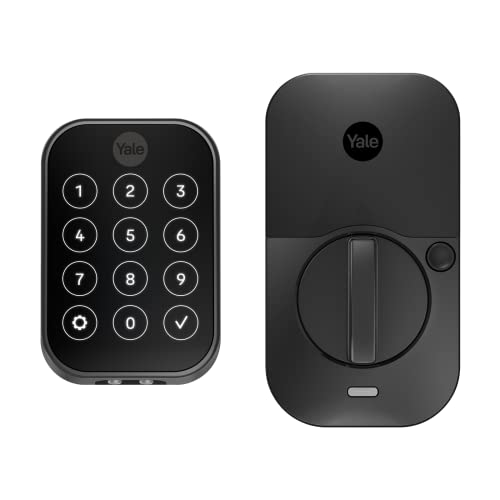
Yale Assure Lock 2 Touchscreen Deadbolt
Best for: key-free touchscreen access and Bluetooth automation
- Access Method
- Keypad, Touchscreen (what this guide is about)
- Access Methods
- Keypad, app, Apple Watch, Auto-Unlock
- Connectivity
- Bluetooth
- Color
- Black
- Application
- Home
- Dimensions
- 2.5 × 3.7 × 2.3 inches
The Yale Assure Lock 2 is a key-free smart deadbolt controlled by a digital touchscreen keypad and Bluetooth. You can unlock it using touch codes, the Yale Access app on your smartphone or Apple Watch, and hands-free Auto-Unlock. Built-in Auto-Lock secures the door automatically. Measuring 3.7 by 2.3 inches, this compact deadbolt suits you if you want keyless touchscreen entry without physical keys.
Pros
- Key-free digital touchscreen keypad
- Supports Bluetooth Auto-Unlock and Auto-Lock
- Compatible with Yale Access app on smartphone and Apple Watch
- Supports custom guest entry codes
Cons
- No physical keyway for backup mechanical keys
- No fingerprint scanner listed in specifications
Good fit if
- You want keyless entry via touchscreen, smartphone, or Apple Watch.
- You want automated locking and unlocking through Bluetooth.
- You need to distribute custom access codes to visitors.
Skip if
- You want a physical key cylinder for traditional key backup.
- You prefer unlocking your door with a fingerprint reader.
Verdict: Yale Assure Lock 2 Touchscreen Deadbolt delivers reliable key-free deadbolt control through a responsive touchscreen and smartphone automation. It is a dependable option if you want to eliminate traditional physical keys completely.

Yale Touchscreen Wi-Fi Deadbolt with Fingerprint
Best for: homes wanting versatile touchscreen and fingerprint access
- Access Method
- Fingerprint, Touchscreen, Key (what this guide is about)
- Access Methods
- Fingerprint, keypad, app
- Connectivity
- 2.4 or 5 GHz Wi-Fi
- User Code Capacity
- Unlimited
- Color
- Black
- Dimensions
- 0.88 × 2.5 × 3.75 inches
View on Amazon: Yale Touchscreen Wi-Fi Deadbolt with Fingerprint
This smart deadbolt gives you keyless entry via a backlit touchscreen, fingerprint sensor, physical key, or smartphone. It connects directly to your 2.4 GHz or 5 GHz Wi-Fi network without a separate hub. With BHMA Grade 2 certification, an operating range of -22°F to 140°F, and integrated DoorSense for auto-locking, it suits you if you need multiple ways to unlock alongside remote control and status monitoring.
Pros
- Connects directly to 2.4 GHz and 5 GHz Wi-Fi without an external hub
- Four entry methods including touchscreen keypad, fingerprint reader, key, and app
- BHMA Grade 2 certified for commercial-grade durability
- Broad operational temperature tolerance from -22°F to 140°F
Cons
- Yale Access app access is restricted to the US and Canada only
- Relies on standard batteries that require monitoring via low-power alerts
Good fit if
- You want dual-band Wi-Fi connectivity without purchasing a separate bridge.
- You need both a backlit touchscreen and a fingerprint scanner for daily entry.
- You live in an area that experiences extreme temperatures between -22°F and 140°F.
Skip if
- You live outside the US and Canada where the companion app is not supported.
- You prefer a completely key-free design with no physical key cylinder.
Verdict: Yale Touchscreen Wi-Fi Deadbolt with Fingerprint provides flexible entry options and direct dual-band Wi-Fi connectivity without extra equipment. Its BHMA Grade 2 build delivers dependable hardware durability across severe weather conditions.
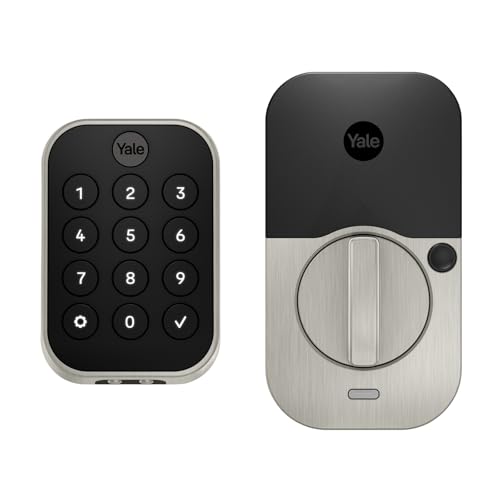
Yale Assure Lock 2 Keyless Touchscreen Deadbolt
Best for: key-free touchscreen access with smart automation
- Access Method
- Keypad, Touchscreen (what this guide is about)
- Access Methods
- Keypad, app, Apple Watch
- Connectivity
- Bluetooth
- Color
- Satin Nickel
- Dimensions
- 2.5 × 3.7 × 2.3 inches
View on Amazon: Yale Assure Lock 2 Keyless Touchscreen Deadbolt
The Yale Assure Lock 2 Keyless Touchscreen Deadbolt provides key-free access using a digital touchscreen keypad or the Yale Access app. It features built-in Bluetooth and Wi-Fi connectivity, allowing optional Auto-Unlock and custom entry code sharing. Measuring 2.3 inches high and 3.7 inches wide, this deadbolt suits you if you want touchscreen entry, automated locking, and Apple Watch control without keys.
Pros
- Digital touchscreen keypad with custom entry codes
- Bluetooth and Wi-Fi connectivity options
- Key-free design with Auto-Lock and optional Auto-Unlock
- Supports control via Yale Access smartphone app and Apple Watch
Cons
- No physical keyhole for backup mechanical key access
- No fingerprint access method listed
Good fit if
- You prefer key-free touchscreen entry and custom codes for visitors.
- You want optional Auto-Unlock via Bluetooth and Auto-Lock functionality.
- You manage lock access from a smartphone or Apple Watch.
Skip if
- You require a traditional physical key cylinder for emergency backup.
- You prefer built-in fingerprint biometric entry directly on the hardware.
Verdict: Yale Assure Lock 2 Keyless Touchscreen Deadbolt delivers reliable touchscreen access and hands-free auto-locking for households moving entirely away from physical keys.
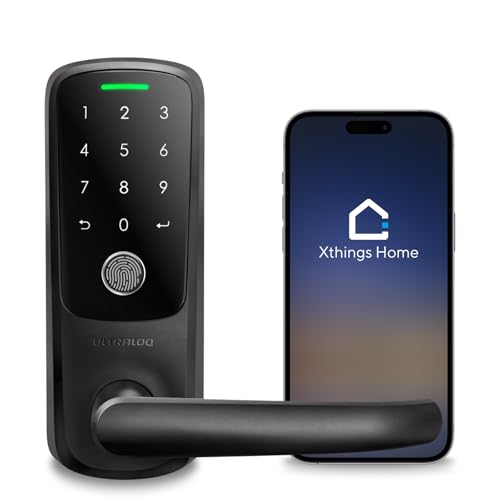
ULTRALOQ Latch 5 Touchscreen Smart Lever Lock
Best for: Rental hosts seeking hub-free remote access
- Access Method
- Keypad, Fingerprint, Touchscreen, Remote Control (what this guide is about)
- Access Methods
- App, fingerprint, code, mechanical key
- Connectivity
- Built-in 2.4 GHz Wi-Fi
- Color
- Black
- Application
- Home, Front Door, Office, Rental Property
- Included Hardware
- Handle
View on Amazon: ULTRALOQ Latch 5 Touchscreen Smart Lever Lock
The ULTRALOQ Latch 5 gives you a smart lever lock with an integrated handle, touchscreen keypad, and built-in 2.4 GHz Wi-Fi. You do not need an external hub to manage users, monitor access logs, or share temporary codes remotely from iOS or Android. It also features fingerprint access, auto-lock functionality, and a weatherproof zinc alloy exterior, making it a practical fit if you manage a rental property or busy home door.
Pros
- Built-in 2.4 GHz Wi-Fi with no external gateway required
- Direct remote control via iOS and Android apps with access logs
- Multiple entry options including touchscreen, fingerprint, app, and mechanical key
- Integrated lever handle with zinc alloy weatherproof exterior
Cons
- Only connects to 2.4 GHz Wi-Fi networks
- Integrated lever lock format rather than a standalone deadbolt
Good fit if
- You want remote app control and code sharing without buying an extra bridge.
- You prefer an all-in-one lever handle lock instead of a separate deadbolt.
- You need multiple unlock methods including touchscreen and fingerprint access.
Skip if
- You specifically need a standalone deadbolt to pair with separate existing hardware.
- You only have a 5 GHz Wi-Fi network setup.
Verdict: ULTRALOQ Latch 5 Touchscreen Smart Lever Lock integrates direct Wi-Fi control into a sturdy lever handle, eliminating the need for extra network bridges. It delivers versatile remote access management alongside touchscreen and biometric entry.

Yale Assure Lock 2 Touchscreen Z-Wave Deadbolt
Best for: Z-Wave smart home setups needing keyless access
- Access Method
- Keypad, Touchscreen, Key (what this guide is about)
- Access Methods
- Keypad, voice assistant, app
- Connectivity
- Z-Wave
- Smart Home Compatibility
- Samsung SmartThings, Hubitat
- User Code Capacity
- Unlimited
- Color
- Oil Rubbed Bronze
View on Amazon: Yale Assure Lock 2 Touchscreen Z-Wave Deadbolt
This key-free smart deadbolt gives you touchscreen access and connects directly to Z-Wave smart home systems such as SmartThings or Hubitat. Measuring 3.75 inches high, 2.5 inches wide, and 0.9 inches deep, it offers a compact footprint on your door. You get automated locking, remote operation through your hub app, and support for unlimited user codes. It suits you if you already run a dedicated Z-Wave hub and want keyless entry.
Pros
- Integrates with Z-Wave systems like Hubitat and SmartThings
- Supports sharing unlimited entry codes
- Compact profile measuring 3.75 inches high and 0.9 inches deep
- Includes Auto-Lock and Auto-Unlock capabilities
Cons
- Requires a separate compatible Z-Wave hub for remote access and notifications
- Lacks built-in Wi-Fi connectivity
Good fit if
- You use a compatible Z-Wave smart home ecosystem like SmartThings or Hubitat.
- You want key-free touchscreen entry combined with automated locking.
- You need to distribute and track unlimited guest access codes.
Skip if
- You do not have a dedicated Z-Wave hub or alarm system.
- You prefer direct Wi-Fi connectivity without intermediate hardware.
Verdict: Yale Assure Lock 2 Touchscreen Z-Wave Deadbolt integrates cleanly into established Z-Wave setups with its compact, key-free design. It provides reliable automated security and simple code sharing through your existing hub.

Yale Assure Lock 2 Wi-Fi Touchscreen Deadbolt
Best for: guest code management with remote app access
- Access Method
- Touchscreen (what this guide is about)
- Access Methods
- Door codes, app
- Installation Type
- Replaces deadbolt
- Connectivity
- Wi-Fi
- Color
- Oil Rubbed Bronze
- Dimensions
- 0.88 × 2.5 × 4.88 inches
View on Amazon: Yale Assure Lock 2 Wi-Fi Touchscreen Deadbolt
This Yale Assure Lock 2 is a touchscreen smart deadbolt designed to replace standard deadbolts on US doors. It includes the Yale Connect Wi-Fi Bridge, which plugs into an outlet to provide remote app control. DoorSense technology detects when your door closes to trigger automatic locking. Measuring 4.875 inches tall and 2.5 inches wide, it suits you if you need guest code scheduling and remote lock management.
Pros
- Includes Yale Connect Wi-Fi Bridge for remote app access
- DoorSense auto-locks once the door closes
- Supports temporary, unique guest access codes
- Installs on standard doors using a screwdriver
Cons
- Requires a separate Wi-Fi bridge plugged into a wall outlet
- Only functions in the United States and Canada
Good fit if
- You want automatic locking driven by door-closure sensors.
- You manage guest check-ins using scheduled access codes.
- You need remote access via the included Wi-Fi bridge.
Skip if
- You live outside the United States or Canada.
- You prefer a lock with direct Wi-Fi that does not use an external plug-in bridge.
Verdict: Yale Assure Lock 2 Wi-Fi Touchscreen Deadbolt delivers touchscreen entry with bundled Wi-Fi connectivity and automatic door sensing. It provides flexible guest code management on standard entry doors.

Yale Assure SL Touchscreen Deadbolt with Z-Wave
Best for: Z-Wave smart home and alarm setups
- Access Method
- Keypad, Touchscreen, Key (what this guide is about)
- Access Methods
- Keypad, app
- Connectivity
- Z-Wave
- Smart Home Compatibility
- SmartThings, Ring Alarm, Wink, Alexa
- Installation Type
- Replaces existing deadbolt
- Included Door Hardware
- Deadbolt
View on Amazon: Yale Assure SL Touchscreen Deadbolt with Z-Wave
The Yale Assure SL Touchscreen Deadbolt with Z-Wave replaces standard deadbolts on doors measuring 1-3/8 inches to 2-1/4 inches thick. You get a backlit touchscreen keypad with one-touch locking and auto-relock functionality. Because it operates over Z-Wave, it connects directly to third-party controllers like Ring Alarm or Samsung SmartThings rather than a Yale app. An integrated 9V battery backup terminal ensures you retain access if internal batteries deplete.
Pros
- Connects with Z-Wave platforms including Samsung SmartThings, Ring Alarm, and Wink
- Backlit touchscreen keypad with auto-relock and one-touch locking
- External 9V terminal provides emergency power if batteries die
- Fits standard door thicknesses from 1-3/8 inches to 2-1/4 inches
Cons
- Requires a separate compatible hub for smart functionality
- No dedicated Yale app support provided
Good fit if
- You run a compatible Z-Wave hub like Ring Alarm or SmartThings.
- You need a deadbolt that fits doors 1-3/8 to 2-1/4 inches thick.
Skip if
- You do not own or plan to add a separate Z-Wave hub.
- You want to control your lock directly through a Yale mobile app.
Verdict: Yale Assure SL Touchscreen Deadbolt with Z-Wave gives you clean key-free entry integrated into your existing smart hub. It relies on your Z-Wave controller instead of a standalone Yale app.

Kwikset Halo Select Plus Touchscreen Deadbolt
Best for: Matter-based smart homes using Apple home keys
- Access Method
- Touchscreen (what this guide is about)
- Access Methods
- Apple home keys, app, touchscreen code
- Connectivity
- Wi-Fi, Matter, NFC
- Smart Home Compatibility
- Amazon Alexa, Apple Home, Google Home
- User Code Capacity
- up to 250
- Color
- Satin Nickel
View on Amazon: Kwikset Halo Select Plus Touchscreen Deadbolt
The Kwikset Halo Select Plus is a smart deadbolt pairing a touchscreen keypad with Matter and Wi-Fi connectivity. You get direct integration across Apple Home, Amazon Alexa, and Google Home without an external bridge. You can unlock via touchscreen codes, Apple home keys NFC tap, geofencing, or the Kwikset app. It holds up to 250 access codes, suiting households managing frequent guest entries or unified Matter smart home platforms.
Pros
- Supports Matter and built-in Wi-Fi connectivity
- Apple home keys tap-to-unlock via iPhone and Apple Watch
- Stores up to 250 user access codes
- Works with Apple Home, Amazon Alexa, and Google Home
Cons
- No fingerprint scanner listed
- Large exterior footprint measuring 9.88 inches tall
Good fit if
- You want Matter protocol support alongside built-in Wi-Fi.
- You use Apple home keys with an iPhone or Apple Watch.
- You need up to 250 separate guest codes.
Skip if
- You require a fingerprint scanner for entry.
- You need a compact lock body under 9 inches tall.
Verdict: Kwikset Halo Select Plus Touchscreen Deadbolt brings native Matter networking and Apple home keys tap-to-unlock to your door. It delivers versatile access methods and broad platform compatibility for modern smart home setups.

Yale Assure Lock 2 Keyed Z-Wave Touchscreen Deadbolt
Best for: Z-Wave smart homes wanting physical key backup
- Access Method
- Keypad, Touchscreen (what this guide is about)
- Access Methods
- Key, keypad, Auto-Unlock, app
- Connectivity
- Z-Wave
- Smart Home Compatibility
- Samsung SmartThings, Ring Alarm, Wink
- User Code Capacity
- Unlimited
- Color
- Satin Nickel
View on Amazon: Yale Assure Lock 2 Keyed Z-Wave Touchscreen Deadbolt
This Yale Assure Lock 2 model pairs a touchscreen keypad with a physical key backup and Z-Wave connectivity. You can unlock your door using PIN codes, an Apple Watch, the Yale Access app, or hands-free Auto-Unlock. Built-in DoorSense detects when the door closes to engage Auto-Lock automatically. It fits your setup if you manage your smart home through a Z-Wave hub like Samsung SmartThings or Ring Alarm and want physical key redundancy.
Pros
- Includes both a touchscreen keypad and a traditional physical key cylinder
- Integrates with Z-Wave hubs including Samsung SmartThings, Ring Alarm, and ADT
- Supports Auto-Unlock and hands-free proximity entry via smartphone or Apple Watch
- DoorSense sensor enables automatic locking once the door closes
Cons
- Requires a separate compatible Z-Wave hub and app for remote access
- Does not work outside of the United States or Canada
Good fit if
- You already use a compatible Z-Wave system like Samsung SmartThings or Ring Alarm.
- You want touchscreen access paired with a standard key cylinder backup.
- You reside within the United States or Canada.
Skip if
- You live outside the United States or Canada.
- You want direct Wi-Fi connectivity without operating an external smart home hub.
Verdict: Yale Assure Lock 2 Keyed Z-Wave Touchscreen Deadbolt delivers versatile keypad access while retaining a physical keyway for peace of mind. It is a solid match if you run a compatible Z-Wave home automation network.

Philips Standalone Touchscreen Deadbolt
Best for: offline touchscreen access and temporary guest codes
- Access Method
- Keypad, Touchscreen (what this guide is about)
- Access Methods
- PIN code, one-time PIN code
- Auto-Lock Delay
- 30-180s
- User Code Capacity
- 20 permanent user PIN codes
- Color
- Matte Black
- Dimensions
- 3.36 × 2.53 × 1.38 inches
The Philips Standalone Touchscreen Deadbolt provides keyless access without requiring a network bridge or Wi-Fi connection. You manage access with a single master PIN, 20 permanent user codes, and remotely generated one-time codes. It features customizable auto-locking between 30 and 180 seconds, an away-mode alarm, and runs up to one year on batteries. This lock suits you if you want secure touchscreen entry without maintaining wireless smart-home integrations.
Pros
- Stores 1 master PIN and up to 20 user PIN codes
- Generates one-time PIN codes remotely without an internet connection
- Customizable auto-lock timer from 30 to 180 seconds
- Rated for up to 1 year of battery life
Cons
- Lacks Wi-Fi, Bluetooth, or smart home network connectivity
- No physical key backup included in product specifications
Good fit if
- You want a touchscreen lock that operates completely offline without network setup.
- You need to share temporary one-time access codes with visitors remotely.
- You prefer customizable automatic locking from 30 to 180 seconds.
Skip if
- You want real-time remote unlocking and mobile app integrations.
- You require fingerprint scanning or physical key backup options.
Verdict: Philips Standalone Touchscreen Deadbolt delivers straightforward offline entry with flexible one-time code sharing and long battery life. It serves standard doors where network connectivity and smart home hubs are not needed.

HIDALIFE Touchscreen Door Lock with Handle
Best for: doors requiring integrated handles and passage switching
- Access Method
- Keypad, Touchscreen (what this guide is about)
- Access Methods
- Touchscreen keypad
- User Code Capacity
- Up to 20 user codes
- Included Door Hardware
- Keypad door knob with handle
- Color
- Matte Black
- Application
- Front Door
The HIDALIFE Touchscreen Door Lock with Handle is a zinc-alloy front door lockset featuring a blue-backlit digital touchscreen. You can program up to 20 user codes along with temporary one-time access codes. A physical slide switch toggles auto-lock and passage mode directly on the hardware. This lock suits you if you want integrated handle hardware and local code management without complex programming for a standard 2-1/8-inch door hole.
Pros
- Physical slide switch for quick passage mode and auto-lock control
- Stores up to 20 user codes plus temporary one-time codes
- Blue-backlit touchscreen with anti-peeping digit protection
- Automatic lockout after five consecutive incorrect entry attempts
Cons
- Incompatible with 1-1/2-inch door bore holes
- No built-in Wi-Fi or wireless smart platform integrations listed
Good fit if
- You need an entry lock that includes the exterior and interior handle hardware.
- You want a physical switch to hold the door unlocked without keypad programming.
- You are outfitting a standard door with a 2-1/8-inch bore hole.
Skip if
- You have a door with a 1-1/2-inch bore hole.
- You require mobile app control or network-connected smart home integration.
Verdict: HIDALIFE Touchscreen Door Lock with Handle delivers straightforward local code management with a built-in handle and a dedicated passage switch. It works effectively for standard door cutouts when wireless connectivity is not needed.

TCL Wi-Fi Touchscreen Smart Deadbolt
Best for: extended battery life with hub-free Wi-Fi control
- Access Method
- Keypad, Fingerprint, Touchscreen, App Control (what this guide is about)
- Access Methods
- Fingerprint, PIN code, app, key
- Connectivity
- Built-in 2.4GHz Wi-Fi
- Smart Home Compatibility
- Alexa, Google Assistant
- Fingerprint Capacity
- 50
- User Code Capacity
- 100
The TCL Wi-Fi Touchscreen Smart Deadbolt gives you direct keyless access through an illuminated touchscreen keypad, a 0.3-second fingerprint scanner, and mobile app control. Powered by eight AA batteries, it delivers up to eight months of runtime alongside built-in 2.4GHz Wi-Fi that connects without an external bridge. It suits you if you want versatile entry options, voice integration with Alexa or Google Assistant, and emergency USB-C charging access.
Pros
- Built-in 2.4GHz Wi-Fi connects directly without an external hub
- Powered by 8 AA batteries for up to 8 months of runtime
- Stores up to 100 PIN codes and 50 fingerprints
- Exterior Type-C emergency port provides backup power
Cons
- Requires 8 AA batteries for standard operation
- Supports 2.4GHz Wi-Fi networks only, not 5GHz
Good fit if
- You want a touchscreen deadbolt with built-in Wi-Fi and fingerprint scanning.
- You want emergency exterior power options via a Type-C port.
- You plan to connect your lock to Alexa or Google Assistant.
Skip if
- You prefer a lock that requires fewer than 8 AA batteries.
- You need native 5GHz Wi-Fi band support.
Verdict: TCL Wi-Fi Touchscreen Smart Deadbolt pairs direct Wi-Fi management with an 8-battery setup for extended keyless operation. It provides flexible touchscreen, biometric, and physical key options without requiring a separate network bridge.

Kwikset SmartCode 916 Touchscreen Deadbolt
Best for: Zigbee-based smart home security setups
- Access Method
- Touchscreen (what this guide is about)
- Access Methods
- Touchscreen, app
- Connectivity
- Wi-Fi, Zigbee 3.0
- Smart Home Compatibility
- ZigBee panels and hubs
- Auto-Lock Delay
- 30 seconds
- User Code Capacity
- 30 codes
The Kwikset SmartCode 916 Touchscreen Deadbolt gives you keyless entry via a responsive touchscreen that stores up to 30 custom user codes. It integrates with Zigbee smart home hubs and panels, features a 30-second auto-locking setting, and runs on four AA batteries rated for 12 months or longer. This lock suits you if you want integrated Zigbee automation paired with SmartKey physical key backup for standard doors.
Pros
- Stores up to 30 customizable user access codes
- Supports Zigbee hubs and panels for connected home setups
- Built-in 30-second automatic locking option
- Battery life rated for 12 months or longer on 4 AA batteries
Cons
- Requires a compatible Zigbee panel or hub for smart routines
- Fits doors only between 1-3/8 and 1-3/4 inches thick
- Electronics warranty lasts only one year
Good fit if
- You use a Zigbee-compatible smart home hub or security panel.
- You need up to 30 programmable touchscreen entry codes.
- You have a standard door thickness between 1-3/8 and 1-3/4 inches.
Skip if
- You do not use or plan to install a Zigbee hub.
- You have a door thicker than 1-3/4 inches.
Verdict: Kwikset SmartCode 916 Touchscreen Deadbolt delivers reliable touchscreen access with direct Zigbee network connectivity. It is a solid choice for standard doors tied into an existing Zigbee automation system.
Specifications side by side
| Spec | Kwikset Halo Wi-Fi Touchscreen Smart Deadbolt | Philips Wi-Fi Fingerprint Smart Lock Set | Yale Assure Lock 2 Touchscreen Deadbolt | Yale Touchscreen Wi-Fi Deadbolt with Fingerprint | Yale Assure Lock 2 Keyless Touchscreen Deadbolt | ULTRALOQ Latch 5 Touchscreen Smart Lever Lock | Yale Assure Lock 2 Touchscreen Z-Wave Deadbolt | Yale Assure Lock 2 Wi-Fi Touchscreen Deadbolt | Yale Assure SL Touchscreen Deadbolt with Z-Wave | Kwikset Halo Select Plus Touchscreen Deadbolt | Yale Assure Lock 2 Keyed Z-Wave Touchscreen Deadbolt | Philips Standalone Touchscreen Deadbolt | HIDALIFE Touchscreen Door Lock with Handle | TCL Wi-Fi Touchscreen Smart Deadbolt | Kwikset SmartCode 916 Touchscreen Deadbolt |
|---|---|---|---|---|---|---|---|---|---|---|---|---|---|---|---|
| Access Methods | Touchscreen, app, auto-unlock | Fingerprint, PIN, key, app, voice | Keypad, app, Apple Watch, Auto-Unlock | Fingerprint, keypad, app | Keypad, app, Apple Watch | App, fingerprint, code, mechanical key | Keypad, voice assistant, app | Door codes, app | Keypad, app | Apple home keys, app, touchscreen code | Key, keypad, Auto-Unlock, app | PIN code, one-time PIN code | Touchscreen keypad | Fingerprint, PIN code, app, key | Touchscreen, app |
| Connectivity | not specified | Built-in 2.4 GHz Wi-Fi | Bluetooth | 2.4 or 5 GHz Wi-Fi | Bluetooth | Built-in 2.4 GHz Wi-Fi | Z-Wave | not specified | Z-Wave | Wi-Fi, Matter, NFC | Z-Wave | not specified | not specified | Built-in 2.4GHz Wi-Fi | Wi-Fi, Zigbee 3.0 |
| Smart Home Compatibility | Amazon Alexa, Google Home | Amazon Alexa, Google Assistant | not specified | not specified | not specified | not specified | Samsung SmartThings, Hubitat | not specified | SmartThings, Ring Alarm, Wink, Alexa | Amazon Alexa, Apple Home, Google Home | Samsung SmartThings, Ring Alarm, Wink | not specified | not specified | Alexa, Google Assistant | ZigBee panels and hubs |
| Installation Type | not specified | not specified | not specified | not specified | not specified | not specified | not specified | Replaces deadbolt | Replaces existing deadbolt | not specified | not specified | not specified | not specified | not specified | not specified |
| Auto-Lock Delay | not specified | not specified | not specified | not specified | not specified | not specified | not specified | not specified | not specified | not specified | not specified | 30-180s | not specified | not specified | 30 seconds |
| Fingerprint Capacity | not specified | not specified | not specified | not specified | not specified | not specified | not specified | not specified | not specified | not specified | not specified | not specified | not specified | 50 | not specified |
| User Code Capacity | Up to 250 | 100 | not specified | Unlimited | not specified | not specified | Unlimited | not specified | not specified | up to 250 | Unlimited | 20 permanent user PIN codes | Up to 20 user codes | 100 | 30 codes |
| Included Door Hardware | Deadbolt | Lock and 2 lever handles | not specified | not specified | not specified | not specified | not specified | not specified | Deadbolt | not specified | not specified | not specified | Keypad door knob with handle | Deadbolt | not specified |
| Power Source | not specified | not specified | not specified | not specified | not specified | not specified | not specified | not specified | not specified | not specified | not specified | not specified | not specified | Battery Powered | not specified |
| Access Method | Touchscreen | Fingerprint, Touchscreen | Keypad, Touchscreen | Fingerprint, Touchscreen, Key | Keypad, Touchscreen | Keypad, Fingerprint, Touchscreen, Remote Control | Keypad, Touchscreen, Key | Touchscreen | Keypad, Touchscreen, Key | Touchscreen | Keypad, Touchscreen | Keypad, Touchscreen | Keypad, Touchscreen | Keypad, Fingerprint, Touchscreen, App Control | Touchscreen |
| Color | Polished Chrome | Matte Black | Black | Black | Satin Nickel | Black | Oil Rubbed Bronze | Oil Rubbed Bronze | Black | Satin Nickel | Satin Nickel | Matte Black | Matte Black | Dark Grey | Matte Black |
| Application | not specified | Front Door | Home | not specified | not specified | Home, Front Door, Office, Rental Property | not specified | not specified | not specified | Home | not specified | not specified | Front Door | Home, Front Door | not specified |
| Included Hardware | not specified | not specified | not specified | not specified | not specified | Handle | not specified | not specified | not specified | not specified | not specified | not specified | Handle | not specified | not specified |
| Style | not specified | not specified | not specified | not specified | not specified | not specified | not specified | not specified | not specified | not specified | not specified | not specified | not specified | not specified | Contemporary |
| Special Features | not specified | not specified | not specified | not specified | not specified | Auto Lock | not specified | not specified | not specified | not specified | not specified | not specified | not specified | not specified | not specified |
| Dimensions | 3.99 × 4.24 × 9.74 inches | 6 × 2 × 1.5 inches | 2.5 × 3.7 × 2.3 inches | 0.88 × 2.5 × 3.75 inches | 2.5 × 3.7 × 2.3 inches | 3.5 × 6.5 × 7 inches | 0.9 × 2.5 × 3.75 inches | 0.88 × 2.5 × 4.88 inches | 5.5 × 5.5 × 10 inches | 4.19 × 5.44 × 9.88 inches | 2.6 × 4.9 × 2.5 inches | 3.36 × 2.53 × 1.38 inches | 8 × 3.62 × 7.6 inches | 6.2 × 2.5 × 1.3 inches | 1.19 × 2.78 × 5.53 inches |
| Weight | 3.6 pounds | 5 pounds | 1 pounds | 3.53 pounds | not specified | not specified | not specified | 4 pounds | 3.5 pounds | not specified | not specified | 1 pounds | 3.92 pounds | 2.05 pounds | 3.48 pounds |
| Model | 99390-003 | DDL240X-1HW-L | YRD450-BLE-BSP | YRD450-F-WF1-BSP | YRD430-BLE-619 | Latch 5 | YRD430-F-ZW3-0BP | YRD420-CB1-0BP | YRD256-ZW2-BSP | 998010-003 | YRD420-ZW2-619 | B0BTZZX8M1 | HL-669L | D2 Plus | 99160-036 |
| Size | not specified | not specified | Bluetooth | Wi-Fi | Bluetooth | Fingerprint | Keypad | Wi-Fi (Extended Range) | Touchscreen | not specified | Keyed | not specified | HL-669L Matte Black | D2 Plus | (Pack of 1) |
How to Choose a Touchscreen Deadbolt
-
Physical Key Backup Options
Decide whether you want an exterior key cylinder alongside the digital interface. Key-free touchscreen deadbolts remove keyways completely, eliminating physical lock picking and the need to carry metal keys. However, deadbolts with physical key cylinders provide a reliable manual backup if batteries drain or electronic components fail. If you prefer keeping an analog key on your keychain for manual emergencies, verify that the specifications list key access alongside the touchscreen, as found on the Yale Assure Lock 2 Keyed Z-Wave Touchscreen Deadbolt.
-
Biometric Fingerprint Integration
Evaluate whether your household benefits from biometric entry in addition to numerical codes. Touchscreen-only locks require you to touch the panel and enter a PIN sequence every time you unlock the door. Models that list fingerprint sensors allow rapid unlocking with a single touch, which is convenient when carrying groceries or managing quick entry for children. If you want biometric verification built directly into your entry hardware, check the access method specifications for fingerprint support, which comes integrated on the Yale Touchscreen Wi-Fi Deadbolt with Fingerprint.
-
Lock and Handle Bundles
Check whether you need a standalone deadbolt or a complete handle set. A standalone touchscreen deadbolt mounts above your existing door knob or passage lever. If your door hardware is mismatched, aged, or missing handles entirely, a bundle saves you from shopping for separate, visually coordinating pieces. Review the included hardware specifications to confirm what comes in the package. For example, the Philips Wi-Fi Fingerprint Smart Lock Set provides both the digital deadbolt mechanism and two matching door levers for an all-in-one entryway installation.
-
Battery Configuration and Capacity
Examine the battery specifications to plan your maintenance schedule. Touchscreen smart deadbolts rely entirely on battery power to illuminate numbers and throw the locking bolt. While most smart deadbolts utilize a standard four-battery setup, models designed for higher capacity house larger battery arrays to sustain wireless connections longer. If you install your lock on a primary entrance with heavy daily cycles, consider expanded battery trays. The TCL Wi-Fi Touchscreen Smart Deadbolt specifies an 8-battery setup, extending operating life without adding external wiring or bulky wall adapters to your door.
-
Passage Mode Controls
Check whether the lock supports passage mode switching or permanent auto-locking. Auto-locking deadbolts secure the latch immediately after closing, preventing accidental lockouts or forgotten doors. However, high-traffic environments like offices, workshops, or busy family homes often require free entry during specific hours without code entry. If you do not want to input your code repeatedly during gatherings or move-in days, look for dedicated mechanical or digital passage switches. The HIDALIFE Touchscreen Door Lock with Handle includes a dedicated passage switch specifically designed for unrestricted, continuous access when locking is not required.
Frequently asked questions
Can you use a touchscreen deadbolt without an internet connection?
Yes, you can use certain touchscreen deadbolts completely offline. Models like the Philips Standalone Touchscreen Deadbolt and the HIDALIFE Touchscreen Door Lock operate without Wi-Fi, Bluetooth, or smart hubs. You program and manage access codes locally directly on the touchscreen keypad. These offline units suit locations where you want keyless entry without configuring wireless network security or smart home integrations.
How do you unlock a touchscreen smart deadbolt besides using a PIN code?
Many touchscreen smart locks offer alternative access methods beyond numeric screen entry. Devices like the Philips Wi-Fi Fingerprint Smart Lock Set, Yale Touchscreen Wi-Fi Deadbolt, and TCL Wi-Fi Smart Deadbolt include fingerprint scanners for biometric access. Others support app control over Wi-Fi, traditional physical keys for mechanical override, or dedicated wireless remote controls such as the system on the ULTRALOQ Latch 5.
Do touchscreen smart locks require a standalone hub for remote app access?
Hub requirements depend on the lock's wireless connectivity specifications. Deadbolts with built-in Wi-Fi, such as the Kwikset Halo or Yale Assure Lock 2 Wi-Fi model, connect directly to your wireless router without separate hardware. Conversely, locks using Z-Wave or Zigbee, like the Yale Assure SL or Kwikset SmartCode 916, require an existing compatible hub to route signals and provide remote automation.
What exterior dimensions should you check before mounting a touchscreen deadbolt?
You should verify the exterior keypad width, height, and depth against your door frame and trim. Touchscreen deadbolt sizes vary widely across models. For instance, the Kwikset Halo measures 4.24 inches wide by 9.74 inches high, while the compact Yale Touchscreen Wi-Fi Deadbolt measures 2.5 inches wide by 3.75 inches high. Verifying these measurements prevents interference with your door jamb, handleset, or decorative moldings.
Can touchscreen deadbolts integrate with voice assistants?
Yes, touchscreen deadbolts with compatible wireless radios can link to voice assistant ecosystems. The TCL Wi-Fi Touchscreen Smart Deadbolt lists native compatibility with Amazon Alexa and Google Assistant for hands-free management. Other options, like the Kwikset Halo Select Plus, incorporate Matter networking to interface smoothly across multiple platforms, allowing you to check lock status or automate actions using standard smart speaker commands.
What happens if a touchscreen lock lacks a physical keyhole?
Key-free touchscreen deadbolts eliminate exterior lock cylinders entirely to prevent standard lock-picking vulnerabilities. Locks such as the Yale Assure Lock 2 Keyless Touchscreen Deadbolt and Yale Assure SL rely solely on digital PIN entry or paired smartphone connectivity. If you select a key-free model, you manage all entries via touchscreen codes, biometrics, or wireless commands without carrying or storing traditional metal keys.
How do door lever touchscreen locks differ from standard touchscreen deadbolts?
Touchscreen lever locks combine the latch mechanism and an exterior handle into a single hardware assembly, whereas standard deadbolts install into a separate bore hole above your door handle. Models like the ULTRALOQ Latch 5 and HIDALIFE Touchscreen Door Lock include integrated door handles right in the package. This design lets you replace a complete handle set rather than modifying a standalone deadbolt bore.