Storage Type in Video Doorbells: What It Is and Is It Worth It?
As an Amazon Associate we earn from qualifying purchases. Links on this page are affiliate links.
Storage Type Explained for Buyers
When you shop for a video doorbell, you will encounter two main storage types: cloud storage and local storage. Understanding this difference is critical because it dictates how you access footage and what ongoing costs you may face. This guide breaks down storage type explained in practical terms.
Cloud storage saves your video recordings on remote servers managed by the manufacturer. You upload footage via your home Wi-Fi. This method allows you to watch clips from any device with an internet connection, anywhere in the world. It also often includes features like motion detection alerts and event history. However, cloud storage usually requires a monthly subscription fee. Without a paid plan, you might only see live video or lose access to recorded events after a short period. Some brands offer a limited free trial, but long-term use typically demands a recurring payment.
Local storage keeps your videos on a physical device attached to the doorbell. This is often a microSD card inserted into the unit. The footage stays on your property. You do not need an internet connection to save recordings, nor do you pay monthly fees. You can remove the card and view files on a computer. The downside is convenience. You cannot watch live feeds remotely if your internet goes down. You also must manage the card yourself, ensuring it has enough space and is not corrupted.
Buyers care about this spec because it affects privacy, cost, and reliability. If you want remote access and easy sharing, cloud storage is the standard choice. If you prefer to own your data and avoid subscriptions, local storage is the practical path. Check the product listing to see which option is supported. Some devices support both, giving you flexibility. Always verify the maximum supported card size for local models. This ensures you buy the right hardware for your needs.
Cloud vs Local Storage Options
Cloud Storage
Cloud storage keeps your video footage on remote servers managed by the manufacturer. You access these recordings through a mobile app from any location with internet access. This method offers convenience and protection against physical theft of the doorbell unit. However, it often requires a monthly subscription fee to maintain access to history. The VanaOrbi Battery 1080p Video Doorbell uses this approach. It suits users who prioritize easy wireless installation and do not mind paying for cloud fees. If you rent or lack wiring, this option simplifies setup. The trade-off is ongoing cost and reliance on internet connectivity. Your data resides off-site, which may concern some privacy advocates. Still, it ensures you can review events even if the device is removed.
Local Storage
Local storage saves your video files directly to a device in your home, such as a HomeBase or an SD card. You do not need a monthly subscription to save or view these recordings. This approach appeals to users who want to avoid recurring fees and keep data within their own network. The eufy Dual Camera Video Doorbell with HomeBase exemplifies this model. It allows for expandable local storage and detailed head-to-toe footage. This option fits those who value comprehensive viewing angles and clear night vision. The main trade-off is that you may need additional hardware like a base station. If your internet goes down, you can still record locally. However, accessing footage from far away might be more complex than cloud solutions. You retain full control over your data without third-party server dependencies.
Is Cloud Or Local Storage Better For You
Who needs it
You should prioritize cloud storage if you want remote access to your footage from anywhere. This option is ideal for travelers or those who frequently leave their homes. The manufacturer manages the servers, which means you do not need to buy extra hardware like a hub or hard drive. You can review clips on your phone while on vacation. This setup also offers better protection against physical theft. If someone steals your doorbell, the video evidence remains safe on the remote server. It is the best choice if you want a hands-off experience. You simply pay for the service and let the company handle the technical details. This convenience is worth the ongoing subscription fee for many users who value peace of mind over local control.
Who can skip it
You can skip cloud storage if you prefer to keep your data private and avoid monthly fees. Local storage is the right choice for those who want full control over their recordings. You save money by not paying for a subscription plan. Your footage stays on a microSD card or a local hub in your home. This means you do not rely on an internet connection to save videos. It is also better if you are concerned about data privacy. Your clips never leave your house. However, you must ensure your doorbell is secure. If a thief takes the device, they also take the footage. Prioritize local storage if you are budget-conscious and live in a secure area. You trade remote access for lower costs and greater data sovereignty.
Key Storage Terms Explained
Cloud Storage
Video files are saved on remote servers managed by the manufacturer. You access these recordings via an app from any location with internet access.
Local Storage
Footage is saved directly on a device at your home, such as an SD card or internal hard drive. This keeps data off remote servers.
Subscription Fee
A recurring cost required to keep video footage in the cloud. Many manufacturers charge monthly or annually for continued access to recorded clips.
Offline Access
The ability to view recorded video without an active internet connection. Local storage solutions often allow this, whereas cloud storage requires constant connectivity.
Remote Viewing
Watching live video or past recordings from a mobile device while away from home. This feature is standard with cloud storage solutions.
Data Security
Protection of your video footage from unauthorized access or theft. Local storage reduces reliance on external servers, while cloud storage depends on provider security.
Storage Capacity
The maximum amount of video data your device can hold. For local storage, this is determined by the size of the inserted memory card.
Video Retention
How long recorded clips are kept before being automatically deleted. Cloud plans often limit retention to seven or thirty days, while local storage depends on space.
Quick picks
| # | Product | Best for | Price |
|---|---|---|---|
| 1 | VanaOrbi Battery 1080p Video Doorbell | Wireless installers accepting cloud fees | Check price of VanaOrbi Battery 1080p Video Doorbell on Amazon |
| 2 | eufy Dual Camera Video Doorbell with HomeBase | complete head-to-toe local storage | Check price of eufy Dual Camera Video Doorbell with HomeBase on Amazon |
| 3 | ieGeek Wireless 2K Video Doorbell | Users wanting local storage and no monthly fees | Check price of ieGeek Wireless 2K Video Doorbell on Amazon |
| 4 | REOLINK Battery Doorbell 2nd Gen with Chime Plus | Privacy-focused users wanting local storage | Check price of REOLINK Battery Doorbell 2nd Gen with Chime Plus on Amazon |
| 5 | Vykanox Battery Wireless Wi-Fi Doorbell Camera | Renters wanting easy wireless setup | Check price of Vykanox Battery Wireless Wi-Fi Doorbell Camera on Amazon |
| 6 | CEMANTA 2.5K Wireless Video Doorbell | budget-conscious users wanting free cloud storage | Check price of CEMANTA 2.5K Wireless Video Doorbell on Amazon |
Our 6 picks
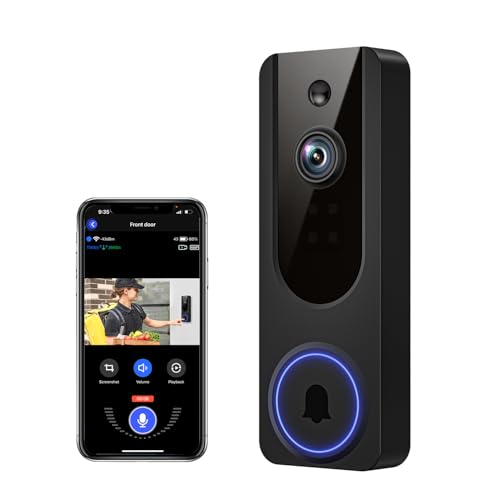
VanaOrbi Battery 1080p Video Doorbell
Best for: Wireless installers accepting cloud fees
- Storage Type
- Cloud Storage (what this guide is about)
- Video Resolution
- 1080p
- Power Source
- Battery powered
- Night Vision
- IR LEDs
- Connectivity
- 2.4 GHz Wi-Fi
- Color
- Black
View on Amazon: VanaOrbi Battery 1080p Video Doorbell Affiliate link
The VanaOrbi 1080p WiFi Video Doorbell is a battery-powered device that relies entirely on cloud storage for video retention. It offers 1080p resolution, AI human detection, and two-way audio. The unit uses AES-128 encryption for saved clips. You can live view and replay footage only with a subscription. Without it, you still get real-time alerts and two-way talk. It suits those who prefer wireless installation and do not mind monthly fees for local recording.
Pros
- 1080p video resolution
- AI human detection filters unnecessary alerts
- AES-128 encrypted cloud storage
- Battery powered for wireless setup
Cons
- No local storage option available
- Requires cloud subscription for video saving
- Limited to 2.4 GHz Wi-Fi only
Good fit if
- You want a wireless battery-powered doorbell
- You prefer AI human detection over generic motion alerts
- You are comfortable with cloud storage subscriptions
Skip if
- You need local storage without a subscription
- You require 5 GHz Wi-Fi connectivity
- You want to avoid recurring cloud fees
Verdict: VanaOrbi 1080p Battery Doorbell fits users who prioritize easy wireless installation and AI precision over local data control. It is a solid choice for renters or those who do not want to run wires.

eufy Dual Camera Video Doorbell with HomeBase
Best for: complete head-to-toe local storage
- Storage Type
- Local Storage (what this guide is about)
- Video Resolution
- 2K Full HD
- Power Source
- Wired/Battery Power
- Night Vision
- Color Night Vision
View on Amazon: eufy Dual Camera Video Doorbell with HomeBase Affiliate link
The eufy E340 uses two cameras to capture a full head-to-toe view. It records in 2K Full HD and offers color night vision up to 16 feet. Storage is local and expandable up to 16TB, so you do not need a subscription. It works with wired or battery power. This model suits you if you want detailed footage without monthly fees.
Pros
- Dual cameras provide a head-to-toe view
- 2K Full HD video resolution
- Color night vision reaches 16 feet
- Local storage expands to 16TB
- BionicMind AI filters alerts with facial recognition
Cons
- Requires HomeBase 3 for local storage
- Dual-camera setup increases bulk
- Cloud storage only used for thumbnail previews
Good fit if
- You want a complete view of visitors
- You prefer local storage over cloud subscriptions
- You need color night vision clarity
Skip if
- You want a single compact camera
- You need cloud-only storage without a hub
- You only accept battery power
Verdict: eufy E340 Dual Camera Doorbell fits you if you need detailed head-to-toe footage and want to avoid monthly cloud fees by using its expandable local storage. It is a solid choice for those who value comprehensive viewing angles and clear night vision.
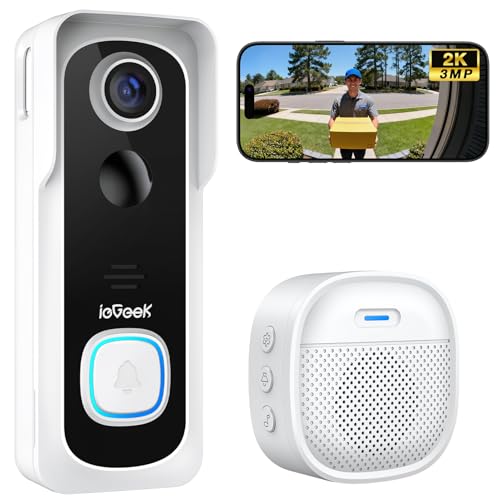
ieGeek Wireless 2K Video Doorbell
Best for: Users wanting local storage and no monthly fees
- Storage Type
- Cloud Storage (what this guide is about)
- Video Resolution
- 2K 3MP HD
- Power Source
- 5200mAh rechargeable battery
- Night Vision
- Infrared night vision
- Connectivity
- 2.4 GHz Wi-Fi
- Indoor Receiver
- Indoor chime
View on Amazon: ieGeek Wireless 2K Video Doorbell Affiliate link
The ieGeek Bell J9 offers 2K 3MP HD video with a wide monitoring angle. It supports local microSD storage up to 128GB and includes lifetime basic cloud storage without a monthly fee. The device uses a 5200mAh non-removable battery and connects via 2.4 GHz Wi-Fi. It features PIR motion detection and an indoor chime. This model suits users who want flexible storage options and clear video without subscription costs.
Pros
- 2K 3MP HD video resolution for clear details
- Supports microSD card up to 128GB for local storage
- Includes lifetime free basic cloud storage
- 5200mAh built-in rechargeable battery for wireless use
Cons
- Does not support 5 GHz Wi-Fi connections
- Battery is non-removable and cannot be replaced independently
- Indoor chime requires separate battery replacements
Good fit if
- You want local storage options alongside cloud backup
- You prefer avoiding monthly subscription fees
- You have 2.4 GHz Wi-Fi coverage near your door
Skip if
- You need 5 GHz Wi-Fi compatibility
- You want a removable battery for easy swapping
- You require wired installation options
Verdict: The ieGeek Bell J9 2K Wireless Doorbell provides solid 2K video and dual storage methods for budget-conscious buyers. It fits households that value local storage flexibility and zero monthly fees.

REOLINK Battery Doorbell 2nd Gen with Chime Plus
Best for: Privacy-focused users wanting local storage
- Storage Type
- Local Storage (what this guide is about)
- Video Resolution
- 2K 4MP
- Power Source
- Battery, wired
- Field of View
- 150°×150°
- Connectivity
- Dual-Band Wi-Fi
- Indoor Receiver
- Reolink Chime Plus
View on Amazon: REOLINK Battery Doorbell 2nd Gen with Chime Plus Affiliate link
This REOLINK doorbell records in 2K 4MP resolution with a 150°×150° head-to-toe view. It supports dual-band Wi-Fi and runs on battery or wired power. The key feature is local storage, which keeps your footage off the cloud. It includes a Reolink Chime Plus for indoor alerts. You get a clear picture and private storage without monthly fees. This setup suits those who want full control over their video data.
Pros
- 2K 4MP video resolution
- 150°×150° head-to-toe field of view
- Local storage option
- Dual-band Wi-Fi connectivity
- Includes Reolink Chime Plus
Cons
- Battery power requires regular recharging
- No cloud storage mentioned for remote access
- Requires separate chime unit for indoor audio
Good fit if
- You want local storage to avoid subscriptions
- You need a wide head-to-toe view
- You prefer dual-band Wi-Fi for stability
Skip if
- You require built-in cloud storage
- You want a single unit without extra chimes
- You need wired-only power without battery backup
Verdict: REOLINK 2K Battery Doorbell offers high-resolution video and local storage for users who prioritize data privacy and wide coverage. It fits buyers who want to avoid cloud fees and manage their own footage.

Vykanox Battery Wireless Wi-Fi Doorbell Camera
Best for: Renters wanting easy wireless setup
- Storage Type
- Cloud Storage (what this guide is about)
- Power Source
- Rechargeable 5200mAh battery
- Night Vision
- Infrared
- Connectivity
- 2.4 GHz Wi-Fi
- Color
- Black
- Application
- Home, Office, Apartment
View on Amazon: Vykanox Battery Wireless Wi-Fi Doorbell Camera Affiliate link
The Vykanox E21 is a battery-powered video doorbell that relies on cloud storage for video clips. It connects via 2.4GHz Wi-Fi and uses infrared night vision for low-light visibility. The device features AI human detection to reduce false alerts from pets or vehicles. It includes two-way audio and USB-C charging. This model suits you if you prefer wireless installation and do not mind a subscription for local-free recording.
Pros
- Uses AI human detection to filter alerts
- Rechargeable battery with USB-C charging
- Infrared night vision for dark conditions
- Two-way audio for visitor communication
Cons
- Requires cloud subscription for video storage
- Supports only 2.4GHz Wi-Fi networks
- No local storage option available
Good fit if
- You want a wire-free installation
- You prefer AI filtering for alerts
- You already use cloud storage services
Skip if
- You need local storage without fees
- You have only 5GHz Wi-Fi
- You want built-in night vision color
Verdict: Vykanox E21 Battery Wi-Fi Doorbell fits renters who want easy setup and do not mind paying for cloud storage. It works well for apartments where wiring is difficult.

CEMANTA 2.5K Wireless Video Doorbell
Best for: budget-conscious users wanting free cloud storage
- Storage Type
- Cloud Storage (what this guide is about)
- Video Resolution
- 2.5K (4MP)
- Night Vision
- Infrared
- Connectivity
- 2.4 GHz, 5 GHz Wi-Fi
- Indoor Receiver
- Chime
- Color
- White
View on Amazon: CEMANTA 2.5K Wireless Video Doorbell Affiliate link
The CEMANTA 2.5K Video Doorbell offers 4MP resolution and Wi-Fi 6 connectivity for clear video and stable streaming. It includes free cloud storage and supports local SD card backup up to 256GB. The device features infrared night vision up to 19 feet and two-way audio with a voice changer. It connects via 2.4GHz and 5GHz networks and includes an indoor chime receiver. This model suits users seeking flexible storage options without mandatory subscription fees.
Pros
- 2.5K Full HD (4MP) video resolution for detailed imagery
- Free cloud storage with no required subscription fees
- Wi-Fi 6 dual-band support for stable connections
- Infrared night vision reaches up to 19 feet
- Includes indoor chime receiver for audio alerts
Cons
- SD card sold separately for local storage backup
- Voice changer feature may be distracting in serious situations
- Requires Eseecloud app for free cloud activation
Good fit if
- You want cloud storage without monthly fees
- You need reliable Wi-Fi 6 dual-band connectivity
- You prefer an included indoor chime receiver
Skip if
- You require a wired power connection only
- You need native integration with major smart home hubs
- You prefer a single-band Wi-Fi connection
Verdict: The CEMANTA 2.5K Wireless Doorbell with Free Cloud is a solid option for renters or homeowners who want to avoid subscription costs while maintaining high-definition video quality and flexible storage choices.
Specifications side by side
| Spec | VanaOrbi Battery 1080p Video Doorbell | eufy Dual Camera Video Doorbell with HomeBase | ieGeek Wireless 2K Video Doorbell | REOLINK Battery Doorbell 2nd Gen with Chime Plus | Vykanox Battery Wireless Wi-Fi Doorbell Camera | CEMANTA 2.5K Wireless Video Doorbell |
|---|---|---|---|---|---|---|
| Video Resolution | 1080p | 2K Full HD | 2K 3MP HD | 2K 4MP | not stated | 2.5K (4MP) |
| Power Source | Battery powered | Wired/Battery Power | 5200mAh rechargeable battery | Battery, wired | Rechargeable 5200mAh battery | not stated |
| Field of View | not stated | not stated | not stated | 150°×150° | not stated | not stated |
| Storage Type | Cloud subscription | Local Expandable Storage up to 16TB | MicroSD card up to 128GB, cloud | Local storage | Cloud storage (optional) | Free cloud, up to 256GB SD card |
| Night Vision | IR LEDs | Color Night Vision | Infrared night vision | not stated | Infrared | Infrared |
| Connectivity | 2.4 GHz Wi-Fi | not stated | 2.4 GHz Wi-Fi | Dual-Band Wi-Fi | 2.4 GHz Wi-Fi | 2.4 GHz, 5 GHz Wi-Fi |
| Indoor Receiver | not stated | not stated | Indoor chime | Reolink Chime Plus | not stated | Chime |
| Resolution | 1080p | 2K | 2K | 2K | not stated | not stated |
| Color | Black | not stated | White | not stated | Black | White |
| Application | not stated | not stated | not stated | not stated | Home, Office, Apartment | not stated |
| Trigger Type | not stated | not stated | not stated | not stated | Push Button | not stated |
| Dimensions | 1.8 × 1.28 × 5.5 inches | not stated | 5.8 × 2.2 × 1.5 inches | not stated | 1.8 × 1.5 × 5.5 inches | 5 × 5 × 2 inches |
| Model | V52 | not stated | Bell J9 | not stated | E21 | BM033A-W6-CEMANTA |
Frequently asked questions
Can I access my doorbell footage if the internet goes down?
It depends on your storage type. If you use cloud storage, you lose remote access when the connection fails. Products like the VanaOrbi 1080p and Vykanox E21 rely entirely on Wi-Fi for cloud uploads. Local storage options, such as the eufy Dual Camera or REOLINK 2nd Gen, save footage to a local hub or SD card. You can often view these recordings even without an active internet connection, provided the local device is powered on.
Which video doorbell offers local storage to avoid monthly fees?
Several models prioritize local data management. The eufy Dual Camera Video Doorbell features expandable local storage to keep footage on-site. The REOLINK Battery Doorbell 2nd Gen also uses local storage for privacy-focused users. The ieGeek Wireless 2K Doorbell supports dual storage methods, offering flexibility. These devices allow you to retain video history without subscribing to a cloud service plan, giving you direct control over your recorded data.
Is cloud storage secure for my home video footage?
Cloud storage keeps your video files on remote servers managed by the manufacturer. This setup protects your footage from physical theft or damage to the doorbell itself. Brands like VanaOrbi and Vykanox utilize this method for their battery-powered units. You access these recordings through a mobile app from any location with internet access. While convenient, this method requires a stable Wi-Fi connection and often involves ongoing subscription costs for extended storage.
Do I need a hub for local storage doorbells?
Many local storage doorbells require a base station to function. The eufy Dual Camera Video Doorbell includes a HomeBase to store footage locally. This hub connects to your router and saves videos to a hard drive or SD card. Other models, like the REOLINK 2nd Gen, may support direct local saving. Check the product specifications to see if a separate base unit is included or required for your chosen storage method.
Can I use both cloud and local storage on one device?
Some doorbells offer dual storage methods for maximum flexibility. The ieGeek Wireless 2K Video Doorbell supports both cloud and local storage options. This allows you to save critical clips locally while keeping others in the cloud. This approach is useful for users who want local privacy for some footage and remote accessibility for others. It provides a balanced solution for households that need both on-site and off-site video retention.
How does battery power affect storage type choices?
Battery-powered doorbells often lean toward cloud storage to conserve local memory. The VanaOrbi 1080p and Vykanox E21 are battery-powered and use cloud storage. This reduces the need for large local drives. However, some battery models like the REOLINK 2nd Gen offer local storage. These devices balance power efficiency with on-site data retention. Consider your power source when choosing storage, as local storage may require more frequent charging or maintenance.