6 Best Alternatives to the Kwikset Halo Select Wi-Fi Matter (2026)
As an Amazon Associate we earn from qualifying purchases. Links on this page are affiliate links.
You are looking for kwikset halo select smart lock alternatives because the Halo Select Wi-Fi and Matter Smart Deadbolt may not fit your specific door or feature needs. This model offers Wi-Fi and Matter connectivity, allowing remote control without a hub. It supports geofencing and touchscreen codes for keyless entry. However, you might prefer a different size, color, or additional entry methods like biometrics. Some users want a full handle set instead of a deadbolt only. Others may need Thread connectivity or higher code capacity. The alternatives in this list share core specifications with the Halo Select, such as Wi-Fi or Matter support. They also align with its smart home compatibility for Alexa, Google, or Apple Home. We selected these options because their published specs overlap with the original product. This ensures you find a suitable replacement that meets your technical requirements. Each alternative provides similar remote access and automation features. The list includes various brands and designs to match your aesthetic and functional preferences. You can compare dimensions, power sources, and access methods to find the best fit.
Our top pick: Kwikset Halo Select Wi-Fi and Matter Smart Deadbolt.
How alternatives compare to Halo
SwitchBot Lock Vision Pro Smart Deadbolt
The SwitchBot Lock Vision Pro offers fingerprint access, which the Halo Select lacks. You get instant auto-locking, a feature not listed for the Kwikset model. Both devices support Wi-Fi and Matter, ensuring similar smart home integration with Alexa and Google. However, the SwitchBot is lighter at 1.21 pounds compared to the Halo Select's heavier build. If you prefer biometric entry over codes or app control, this is a strong alternative. It sacrifices the Halo Select's specific geofencing automation for faster, touch-based entry. Choose this if convenience and speed matter more than the Halo's guest code management system.
Kwikset Halo Touchscreen Wi-Fi Deadbolt
The Kwikset Halo Touchscreen Wi-Fi Deadbolt shares the same brand ecosystem but removes Matter support. It relies solely on Wi-Fi for connectivity. Like the Halo Select, it supports 250 user codes and app control. However, it lacks the newer Matter protocol for broader compatibility. The dimensions are larger, measuring 9.74 inches in height versus the Halo Select's 5.44 inches. This model is heavier at 3.6 pounds. If you do not need Matter integration and want a familiar Kwikset interface, this works. It is best for users who prioritize code capacity and direct Wi-Fi control over future-proof smart home standards.
Schlage Arrive Smart Wi-Fi Deadbolt
The Schlage Arrive Smart Wi-Fi Deadbolt focuses on traditional keypad entry without biometric or app-based unlocking features listed. It supports Wi-Fi connectivity like the Halo Select. The Schlage model is lighter at 2.4 pounds and has a smaller footprint. It does not mention Matter support, limiting its smart home integration compared to the Halo Select. If you want high code capacity and reliable Wi-Fi without complex app features, this is a solid choice. It gives up the Halo Select's geofencing and advanced automation. Pick this if you prefer simple, robust keypad entry and standard Wi-Fi control over smart ecosystem flexibility.
Yale Smart Deadbolt with Matter
The Yale Smart Deadbolt with Matter uses Thread connectivity instead of direct Wi-Fi. It is designed for Google Home users, whereas the Halo Select supports Alexa, Apple Home, and Google. The Yale lock is lighter at 3 pounds. It lacks the touchscreen code entry found on the Kwikset model, relying on other entry methods. If you are in a Google-centric home and want energy-efficient Thread connectivity, this is a good fit. It sacrifices the Halo Select's Wi-Fi direct connection and multi-platform compatibility. Choose this if you value Thread stability and Google integration over the broader smart home support of the Halo Select.
Kwikset Halo Select Plus Touchscreen Smart Lock
The Kwikset Halo Select Plus Touchscreen Smart Lock includes tap-to-unlock convenience for Apple users, a feature not listed for the standard Halo Select. It supports both Wi-Fi and Matter, matching the original's connectivity. The Plus model is larger, measuring 9.88 inches in height. It retains the touchscreen entry method. If you use an iPhone and want proximity-based unlocking, this is the better option. It gives up the standard Halo Select's specific geofencing automation for tap-to-unlock. Choose this if you prioritize seamless Apple integration and physical tap entry over the broader guest code management of the base model.
Schlage Encode Century WiFi Deadbolt
The Schlage Encode Century WiFi Deadbolt relies on Wi-Fi connectivity without Matter support. It offers robust security ratings and remote access. The model is heavier at 3.4 pounds and has a standard deadbolt size. It lacks the touchscreen and app-based features highlighted in the Halo Select. If you need reliable remote access and high security without adding a hub, this works. It gives up the Halo Select's smart home integration and code management flexibility. Pick this if you value traditional Wi-Fi security and voice control over modern Matter compatibility and advanced app features found in the Kwikset alternative.
Quick picks
Our 7 picks

Kwikset Halo Select Wi-Fi and Matter Smart Deadbolt
Best for: Smart home users needing Matter and Wi-Fi
- Access Methods
- touchscreen code, app, geofence
- Connectivity
- Wi-Fi, Matter
- Smart Home Compatibility
- Amazon Alexa, Apple Home, Google Home
- User Code Capacity
- 250
- Included Door Hardware
- deadbolt only
- Color
- Matte Black
View on Amazon: Kwikset Halo Select Wi-Fi and Matter Smart Deadbolt Affiliate link
This Kwikset deadbolt combines Wi-Fi and Matter connectivity for direct app control without a hub. It supports geofencing, touchscreen codes, and guest access for up to 250 users. The matte black finish fits modern interiors. It works with Alexa, Apple Home, and Google Home. You get real-time intrusion alerts and event logs. This lock suits those who want seamless smart home integration and remote management.
Pros
- Wi-Fi and Matter connectivity for direct control
- Supports up to 250 user access codes
- Intelligent geofencing for automatic unlocking
- Real-time intrusion detection and event logs
- Compatible with Amazon Alexa, Apple Home, and Google Home
Cons
- Includes deadbolt only, no handle hardware
- No Bluetooth or Zigbee connectivity listed
- Geofencing accuracy depends on smartphone location services
Good fit if
- You want direct Wi-Fi control without a hub
- You need Matter compatibility for future-proofing
- You require geofencing for automatic entry
Skip if
- You need a complete door handle and deadbolt set
- You prefer a lock with a built-in keypad display
- You do not want to rely on Wi-Fi connectivity
Verdict: Kwikset Halo Select Matte Black Deadbolt delivers robust smart features with Matter and Wi-Fi support. It is ideal for users who prioritize remote access and smart home automation over traditional key entry.

SwitchBot Lock Vision Pro Smart Deadbolt
Best for: advanced biometric entry and instant auto-lock
- Access Methods
- Face, palm vein, fingerprint, PIN, NFC
- Connectivity
- Wi-Fi, Bluetooth
- Installation Type
- Deadbolt replacement
- Auto-Lock Delay
- Instant
- Included Door Hardware
- Deadbolt
- Power Source
- Battery Powered
View on Amazon: SwitchBot Lock Vision Pro Smart Deadbolt Affiliate link
The SwitchBot Lock Vision Pro offers three biometric entry methods: 3D face recognition, palm vein scanning, and fingerprint. It runs on a 10,000mAh battery with a CR123A backup and connects via WiFi without a hub. You get instant auto-locking and Matter compatibility for Apple Home, Alexa, and Google. It fits standard US doors and supports up to 90 fingerprints.
Pros
- 3D structured light face recognition works in total darkness
- Palm vein scanner requires no physical contact
- 10,000mAh battery lasts up to 12 months
- Matter over WiFi connects to major smart home platforms
- Instant auto-lock detects door closing via sensors
Cons
- Requires the included SwitchBot lock cylinder; existing cylinders are not supported
- Palm vein and face recognition are exclusive to this model, not the standard version
- NFC card support is limited to 100 cards
Good fit if
- You want keyless entry without carrying keys or fumbling for a phone
- You need a lock that works with Apple Home, Alexa, or Google
- You prefer a battery-powered installation with no hub required
Skip if
- You want to reuse your existing lock cylinder
- You need a model with an integrated video doorbell
- You require a lock that does not use WiFi
Verdict: SwitchBot Lock Vision Pro provides advanced biometric access and instant locking for users who value convenience and smart home integration. It suits families needing multiple entry methods without relying on a phone.

Kwikset Halo Touchscreen Wi-Fi Deadbolt
Best for: Users needing 250 codes and direct Wi-Fi control
- Access Methods
- Touchscreen, app, auto-unlock
- Smart Home Compatibility
- Amazon Alexa, Google Home
- User Code Capacity
- Up to 250
- Included Door Hardware
- Deadbolt
- Connectivity
- Wi-Fi
- Color
- Matte Black
View on Amazon: Kwikset Halo Touchscreen Wi-Fi Deadbolt Affiliate link
The Kwikset Halo is a Wi-Fi enabled smart deadbolt with a built-in touchscreen. It supports up to 250 access codes and allows remote control via the Kwikset app without a hub. You can set auto-lock durations and receive intrusion alerts. It works with Amazon Alexa and Google Home. This matte black lock fits standard doors from 1-3/8 to 1-3/4 inches thick.
Pros
- Wi-Fi connectivity requires no separate hub
- Supports up to 250 unique access codes
- Backlit touchscreen keypad for keyless entry
- Compatible with Amazon Alexa and Google Home
- Auto-lock feature with customizable duration
Cons
- Grade AAA rating is lower than premium Grade 1 locks
- Only one-year warranty covers electronic components
- No mention of Bluetooth or Zigbee support in data
Good fit if
- You want keyless entry with a built-in touchscreen
- You need to manage access for many guests
- You prefer direct Wi-Fi connection without a hub
Skip if
- You require Grade 1 security certification
- You need a longer electronics warranty
- You want to use it with Apple HomeKit
Verdict: Kwikset Halo Wi-Fi Touchscreen Deadbolt suits renters or homeowners who prioritize easy code management and remote app access over heavy-duty security grades. It is a solid mid-tier option for standard residential doors.

Schlage Arrive Smart Wi-Fi Deadbolt
Best for: users wanting high code capacity and Wi-Fi
- Access Methods
- Push-button keypad, app
- Connectivity
- Built-in Wi-Fi
- Smart Home Compatibility
- Alexa, Google Home, Ring
- User Code Capacity
- Up to 250
- Color
- Matte Black
- Dimensions
- 0.83 × 2.5 × 4.49 inches
View on Amazon: Schlage Arrive Smart Wi-Fi Deadbolt Affiliate link
The Schlage Arrive smart lock features built-in Wi-Fi and a push-button keypad with backlit, all-weather silicone buttons. It supports up to 250 access codes and integrates with Alexa and Google Home. The matte black finish offers a durable, fingerprint-resistant surface. This lock suits users who want reliable keyless entry and app management without additional hubs.
Pros
- Built-in Wi-Fi for direct app connectivity
- Supports up to 250 access codes
- Backlit push-button keypad with silicone buttons
- Compatible with Alexa and Google Home
- BHMA certified highest residential rating
Cons
- No Bluetooth connectivity listed
- No 3D face or palm vein recognition
- Requires standard door thickness (1-3/8 to 1-3/4 in)
Good fit if
- You want a lock with built-in Wi-Fi
- You need to manage many access codes
- You prefer physical keypad buttons over touchscreens
Skip if
- You require biometric access methods like face recognition
- You need Bluetooth-only operation without Wi-Fi
- You have non-standard door thicknesses
Verdict: Schlage Arrive Remsen Trim Matte Black delivers solid Wi-Fi connectivity and high code capacity for users who prioritize traditional keypad entry and app control over biometric features.
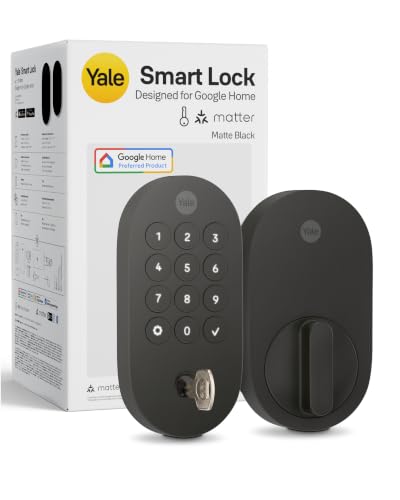
Yale Smart Deadbolt with Matter
Best for: Google Home users seeking Thread connectivity
- Access Methods
- App, keypad, voice, backup key
- Connectivity
- Matter over Thread
- Smart Home Compatibility
- Google Home, Google Assistant, Matter
- Power Source
- Battery Powered
- Color
- Matte Black
- Dimensions
- 0.88 × 2.56 × 5.38 inches
View on Amazon: Yale Smart Deadbolt with Matter Affiliate link
This Yale deadbolt uses Matter over Thread for efficient connectivity. It supports app, keypad, voice, and key entry. The lock integrates with Google Home and Assistant. It operates in temperatures from -22 to 140°F. The unit measures 5.38 by 2.56 inches and weighs 3 pounds. It suits users in the Google ecosystem who want reliable, low-power smart entry.
Pros
- Matter over Thread connectivity for mesh network efficiency
- Four access methods: app, keypad, voice, and key
- Seamless Google Home and Assistant integration
- Operates in extreme temperatures from -22 to 140°F
Cons
- Remote access requires a separate Matter hub
- Limited to Google Home ecosystem compatibility
- No mention of local storage for access logs
Good fit if
- You already use Google Home or Nest Hub
- You want a lock that saves battery via Thread
- You need backup key entry alongside smart features
Skip if
- You rely on Amazon Alexa as your primary hub
- You need native Wi-Fi without a hub
- You want Apple HomeKit compatibility
Verdict: Yale Matter Smart Lock Matte Black is a solid choice for Google users. It offers reliable Thread connectivity and multiple entry options. It fits homes that prioritize energy efficiency and smart home integration.
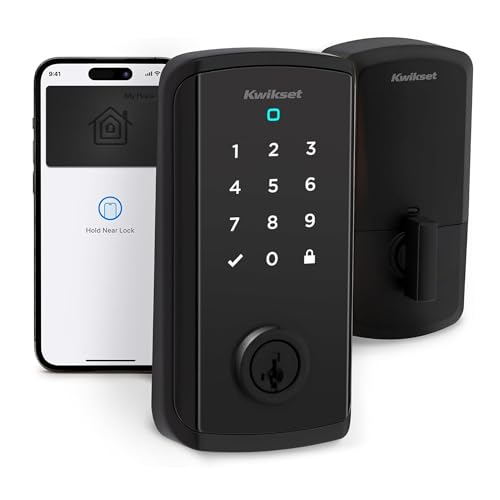
Kwikset Halo Select Plus Touchscreen Smart Lock
Best for: Apple users wanting tap-to-unlock convenience
- Access Methods
- Apple home keys, app, code
- Connectivity
- Wi-Fi, Matter, NFC
- Smart Home Compatibility
- Amazon Alexa, Apple Home, Google Home
- User Code Capacity
- 250
- Included Door Hardware
- Deadbolt
- Color
- Matte Black
View on Amazon: Kwikset Halo Select Plus Touchscreen Smart Lock Affiliate link
The Kwikset Halo Select Plus adds NFC and Apple Home Key support to the Halo Select line. It connects via Wi-Fi and Matter for remote control and smart home integration with Alexa, Apple Home, and Google Home. You can manage up to 250 user codes and share guest access easily. The touchscreen allows keyless entry without a smartphone. This model suits users who want tap-to-unlock convenience alongside standard smart lock features.
Pros
- Supports NFC tap-to-unlock with Apple Home Keys
- Connects via Wi-Fi and Matter protocol
- Compatible with Amazon Alexa, Apple Home, and Google Home
- Stores up to 250 user access codes
Cons
- Lacks biometric scanning options like fingerprint or face recognition
- No physical key override mentioned in specifications
- Does not include a built-in camera for video monitoring
Good fit if
- You use Apple devices and want to tap your iPhone or Watch to unlock
- You need a lock that works with Matter-enabled smart home hubs
- You require remote management via the Kwikset app
Skip if
- You require biometric authentication such as palm vein or face recognition
- You want a lock with integrated video doorbell capabilities
- You prefer a keypad-only interface without touchscreen or app control
Verdict: Kwikset Halo Select Plus Matte Black is a solid choice for Apple users seeking tap-to-unlock convenience and Matter compatibility. It fits those who value smartphone integration and guest code management over biometric scanning.
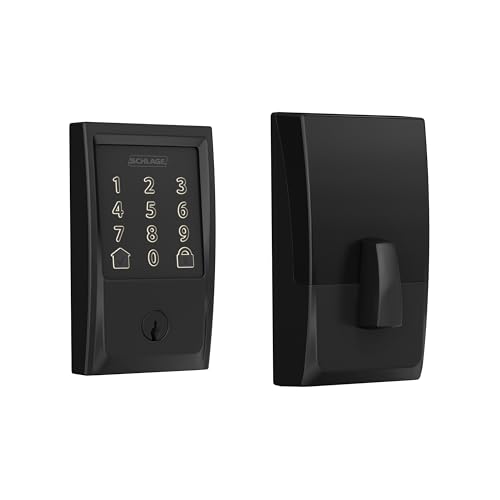
Schlage Encode Century WiFi Deadbolt
Best for: standard doors needing robust Wi-Fi security
- Access Methods
- Touchscreen keypad, app, key
- Connectivity
- Built-in Wi-Fi
- Smart Home Compatibility
- Alexa, Google Home, Ring, Airbnb
- User Code Capacity
- Up to 100 access codes
- Color
- Matte Black
- Dimensions
- 0.9 × 3 × 5 inches
View on Amazon: Schlage Encode Century WiFi Deadbolt Affiliate link
The Schlage Encode is a battery-operated smart deadbolt with built-in Wi-Fi. It supports up to 100 access codes and works with Alexa and Google Home. The touchscreen is fingerprint-resistant and features a customizable alarm. You get auto-locking options and real-time notifications via the Schlage Home app. This matte black lock fits standard doors and includes a physical backup key.
Pros
- Built-in Wi-Fi for remote app control
- Supports up to 100 user access codes
- Compatible with Alexa and Google Home
- BHMA certified highest residential security rating
- Auto-lock with adjustable time delays
Cons
- No Bluetooth or Zigbee connectivity listed
- Requires four AA batteries for power
- Uses standard Wi-Fi instead of Matter
Good fit if
- You want built-in Wi-Fi without a hub
- You need to manage up to 100 codes
- You prefer a touchscreen with auto-lock
Skip if
- You require Matter protocol support
- You prefer a keypad-free design
- You need Zigbee or Bluetooth connectivity
Verdict: Schlage Encode WiFi Deadbolt is a solid choice for users who need reliable remote access and high security ratings without adding a separate hub. It suits those who value code management and voice control over newer protocol standards.
Specifications side by side
| Spec | Kwikset Halo Select Wi-Fi and Matter Smart Deadbolt | SwitchBot Lock Vision Pro Smart Deadbolt | Kwikset Halo Touchscreen Wi-Fi Deadbolt | Schlage Arrive Smart Wi-Fi Deadbolt | Yale Smart Deadbolt with Matter | Kwikset Halo Select Plus Touchscreen Smart Lock | Schlage Encode Century WiFi Deadbolt |
|---|---|---|---|---|---|---|---|
| Access Methods | touchscreen code, app, geofence | Face, palm vein, fingerprint, PIN, NFC | Touchscreen, app, auto-unlock | Push-button keypad, app | App, keypad, voice, backup key | Apple home keys, app, code | Touchscreen keypad, app, key |
| Connectivity | Wi-Fi, Matter | Wi-Fi, Bluetooth | not stated | Built-in Wi-Fi | Matter over Thread | Wi-Fi, Matter, NFC | Built-in Wi-Fi |
| Smart Home Compatibility | Amazon Alexa, Apple Home, Google Home | not stated | Amazon Alexa, Google Home | Alexa, Google Home, Ring | Google Home, Google Assistant, Matter | Amazon Alexa, Apple Home, Google Home | Alexa, Google Home, Ring, Airbnb |
| Installation Type | not stated | Deadbolt replacement | not stated | not stated | not stated | not stated | not stated |
| Auto-Lock Delay | not stated | Instant | not stated | not stated | not stated | not stated | not stated |
| User Code Capacity | 250 | not stated | Up to 250 | Up to 250 | not stated | 250 | Up to 100 access codes |
| Included Door Hardware | deadbolt only | Deadbolt | Deadbolt | not stated | not stated | Deadbolt | not stated |
| Power Source | not stated | Battery Powered | not stated | not stated | Battery Powered | not stated | not stated |
| Access Method | not stated | Fingerprint | Touchscreen, App Control | Keypad, App Control | not stated | Touchscreen | Keypad, Touchscreen, App Control |
| Color | Matte Black | Matte Black | Matte Black | Matte Black | Matte Black | Matte Black | Matte Black |
| Application | not stated | Home, Front Door | Front Door | Home | Home | Home | Home |
| Trigger Type | not stated | not stated | not stated | Push Button | not stated | not stated | not stated |
| Special Features | not stated | Auto Lock | not stated | not stated | not stated | not stated | not stated |
| Dimensions | 0.88 × 2.84 × 5.44 inches | 3 × 7 × 1.2 inches | 3.99 × 4.24 × 9.74 inches | 0.83 × 2.5 × 4.49 inches | 0.88 × 2.56 × 5.38 inches | 4.19 × 5.44 × 9.88 inches | 0.9 × 3 × 5 inches |
| Weight | not stated | 1.21 pounds | 3.6 pounds | 2.4 pounds | 3 pounds | not stated | 3.4 pounds |
| Size | Deadbolt Only | not stated | not stated | 3 x 5.75 x 2.3 inch | 5.38 x 2.56 inch (Pack of 1) | not stated | Encode |
| Model | 998000-004 | W9022000 | 99390-004 | BE459WBRMN622 | YRD510-MT1-BLK | 998010-004 | BE489WBCEN622 |
Looking beyond this list? See amazon smart plug alternatives.
Frequently asked questions
Does the SwitchBot Lock Vision Pro work without Wi-Fi?
No, the SwitchBot Lock Vision Pro requires Wi-Fi connectivity for full operation. It also supports Matter, which allows it to integrate with smart home ecosystems like Alexa and Google Assistant. You need a stable network connection to use its fingerprint access and auto-lock features effectively.
Which smart lock is best for Google Home users?
The Yale Smart Deadbolt with Matter is designed for Google users. It uses Thread connectivity and is compatible with Google Assistant. This lock offers reliable integration for those who prioritize energy efficiency and smart home automation over other entry methods.
Can I use Apple devices with the Kwikset Halo Select Plus?
Yes, the Kwikset Halo Select Plus Touchscreen Smart Lock is ideal for Apple users. It supports tap-to-unlock convenience and Matter compatibility. You can manage guest codes and use smartphone integration for entry, making it a strong choice for iPhone owners.
Does the Schlage Arrive support fingerprint scanning?
The Schlage Arrive Smart Wi-Fi Deadbolt does not list fingerprint scanning in its specifications. It focuses on traditional keypad entry and high code capacity. You control it via Wi-Fi and app, making it suitable for users who prefer codes over biometrics.
How many user codes does the Kwikset Halo Touchscreen support?
The Kwikset Halo Touchscreen Wi-Fi Deadbolt supports up to 250 user codes. You can manage these codes remotely via the app. This high capacity makes it practical for renters or homeowners who need to distribute access to many people.
Is the Yale Smart Deadbolt compatible with Alexa?
The specifications for the Yale Smart Deadbolt with Matter list compatibility with Google Assistant. It does not explicitly mention Alexa support in the provided data. You should verify full ecosystem compatibility before purchasing if Alexa is your primary smart home platform.
What is the power source for the SwitchBot Lock Vision Pro?
The SwitchBot Lock Vision Pro is battery powered. You do not need to hardwire it into your home electrical system. This power source allows for flexible installation on various front doors while maintaining its smart features like auto-locking.
Does the Kwikset Halo Select require a separate hub?
No, the Kwikset Halo Select Wi-Fi and Matter Smart Deadbolt does not require a separate hub. It connects directly via Wi-Fi. This allows for remote access and smart home automation without additional hardware, simplifying your setup process.