Best Lockly Deadbolts: 15 Models Compared
As an Amazon Associate we earn from qualifying purchases. Links on this page are affiliate links.
Choosing the right lockly deadbolt depends on the door hardware and wireless connections you need. Lockly offers standalone deadbolts, retrofit smart units, models with integrated handles or knobs, and plug-in Wi-Fi hubs across Satin Nickel, Matte Black, and Venetian Bronze finishes.
The Lockly Visage Zeno Smart Lock leads the lineup because it combines facial recognition, Apple Home Key, and built-in Wi-Fi without needing an external bridge. We compared 15 models based strictly on the specifications published on their listings to help you select the right device.
Quick picks
Our 15 picks

Lockly Visage Zeno Smart Lock
Best for: hands-free facial recognition and Apple Home Key
- Access Methods
- Face, fingerprint, keypad, key, app
- Connectivity
- Built-in Wi-Fi
- Smart Home Compatibility
- Apple Home, Alexa, Google Assistant
- Fingerprint Capacity
- Up to 99 prints
- Dimensions
- 8 × 8.8 × 5.3 inches
The Lockly Visage Zeno is a smart deadbolt that unlocks via facial recognition, Apple Home Key, and a 0.2-second biometric fingerprint reader. Built-in Wi-Fi connects it directly to your home network without an external hub. It includes two 10,000mAh rechargeable batteries for power and fits doors between 1 3/8 inches and 2 inches thick. You get hands-free entry and direct smart home integration in a single setup.
Pros
- Facial recognition unlock using dual infrared sensors
- Apple Home Key integration with tap-to-unlock support
- AI fingerprint scanner unlocks in 0.2 seconds and stores 99 prints
- Built-in Wi-Fi operates without a separate bridge
- Includes two 10,000mAh rechargeable lithium batteries
Cons
- Only fits door thicknesses from 1 3/8 inches to 2 inches
- Rechargeable battery requires recharging every six months under normal use
Good fit if
- You want hands-free facial recognition access.
- You use Apple Home Key on an iPhone or Apple Watch.
- You prefer built-in Wi-Fi without installing a separate hub.
Skip if
- You have a door thicker than 2 inches or thinner than 1 3/8 inches.
- You prefer standard disposable AA batteries instead of rechargeable packs.
Verdict: Lockly Visage Zeno Facial Recognition Deadbolt combines facial recognition, Apple Home Key, and built-in Wi-Fi into an all-in-one deadbolt. It provides the broadest set of keyless entry methods on the list without requiring an external bridge.

Lockly Secure Pro Smart Lock with Handle
Best for: All-in-one lever replacement with built-in Wi-Fi
- Access Methods
- Fingerprint, PIN, app, voice, key
- Connectivity
- Built-in Wi-Fi
- Smart Home Compatibility
- Amazon Alexa, Google Assistant
- Fingerprint Capacity
- 99
- User Code Capacity
- 49
- Included Door Hardware
- Handle
The Lockly Secure Pro Smart Lock with Handle combines an integrated door lever with built-in Wi-Fi and an AI biometric fingerprint sensor that unlocks in 0.2 seconds. It stores up to 99 fingerprints and 49 PIN codes across a scrambling dual-keypad interface. This setup suits you if you want a complete lever-lock replacement with app and voice control without installing an external hub.
Pros
- Unlocks via fingerprint sensor in 0.2 seconds with storage for 99 prints
- Built-in Wi-Fi connects to the app without an extra hub
- PIN Genie dual-keypad scrambles digit layouts and holds 49 codes
- Integrates with Amazon Alexa and Google Assistant
Cons
- Does not support Apple Home Key
- Functions as a latch handle rather than a standalone deadbolt
Good fit if
- You want an integrated door handle with a built-in fingerprint scanner.
- You prefer built-in Wi-Fi without configuring an external plug-in hub.
- You manage access for multiple users needing distinct PINs or fingerprints.
Skip if
- You rely on Apple Home Key for ecosystem integration.
- You want a separate deadbolt that works alongside your existing door lever.
Verdict: Lockly Secure Pro Smart Lock with Handle provides complete latch replacement with fast 0.2-second biometric recognition and direct Wi-Fi app controls. It delivers versatile access options for standard doors without requiring additional bridge hardware.
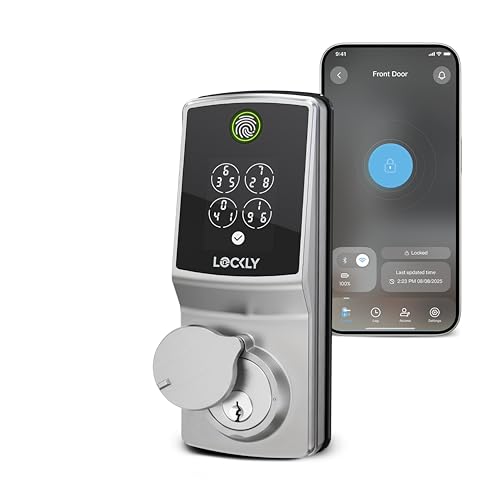
Lockly Secure Pro Wi-Fi Deadbolt
Best for: fast biometric access without a separate hub
- Access Methods
- Fingerprint, keypad, app, key, voice
- Connectivity
- Built-in Wi-Fi
- Smart Home Compatibility
- Amazon Alexa, Google Assistant
- Included Door Hardware
- Deadbolt
- Color
- Satin Nickel
- Dimensions
- 8.4 × 8.8 × 4.6 inches
The Lockly Secure Pro Wi-Fi Deadbolt gives you direct wireless connectivity without requiring an extra plug-in bridge. It integrates an AI-driven biometric fingerprint reader with a 0.2-second response time alongside Lockly’s scrambling PIN Genie keypad and physical key backup. If you want direct Wi-Fi app management, voice control through Alexa or Google Assistant, and offline access codes for standard 1⅜-inch to 2-inch doors, this model fits your entryway.
Pros
- Built-in Wi-Fi connects directly to your network without a separate hub
- Biometric sensor reads fingerprints in approximately 0.2 seconds
- PIN Genie keypad scrambles digit positions on every use
- Generates offline access codes that work without an active internet connection
Cons
- Incompatible with storm doors and round latch holes
- Does not fit doors thicker than 2 inches or thinner than 1⅜ inches
Good fit if
- You want direct Wi-Fi control without plugging in a separate hub.
- You need rapid biometric entry alongside a digit-scrambling keypad.
- You share entry access with guests using offline codes.
Skip if
- You have a storm door or round latch hole on your door.
- You have a non-standard door thicker than 2 inches or thinner than 1⅜ inches.
Verdict: Lockly Secure Pro Wi-Fi Deadbolt delivers fast fingerprint recognition and hub-free wireless connectivity in a compact interior profile. It provides dependable multi-method access for standard residential doors.

Lockly Secure Plus Biometric Deadbolt
Best for: offline rental access and peek-proof PIN security
- Access Methods
- Keypad, fingerprint, key
- Fingerprint Capacity
- 99 fingerprints
- Color
- Matte Black
- Dimensions
- 7.36 × 3.15 × 4.49 inches
- Weight
- 1 pounds
The Lockly Secure Plus Biometric Deadbolt provides keyless entry using a second-generation 3D fingerprint reader, a physical key, and a PIN Genie digital keypad. The sensor recognizes fingerprints in 0.3 seconds and holds 99 profiles, while the keypad shuffles numbers to prevent onlookers from stealing codes. It suits you if you run a rental or office and need offline access codes, provided you do not need out-of-the-box remote Wi-Fi alerts.
Pros
- Second-generation 3D biometric sensor recognizes prints in 0.3 seconds and stores 99 profiles
- Patented PIN Genie digital keypad shuffles number positions after each use
- Generates offline access codes that work without an active internet connection
- Supports cylinder rekeying with a standard rekey kit
Cons
- Requires an additional Wi-Fi hub for smartphone alerts and real-time monitoring
- Configured specifically as a right fingerprint edition
Good fit if
- You manage a rental property and need offline access codes for guests.
- You want rapid 0.3-second fingerprint scanning for up to 99 saved users.
- You prefer a peek-proof keypad that scrambles digit placement to deter onlookers.
Skip if
- You need remote Wi-Fi alerts without buying an external hub.
- You require a left-hand fingerprint sensor placement.
Verdict: Lockly Secure Plus Biometric Deadbolt delivers reliable offline PIN and fingerprint access backed by a 99-print memory capacity. It fits doors needing offline code generation, though remote alerts require an optional Wi-Fi hub.

Lockly Secure Pro Zeno Deadbolt with Apple Home Key
Best for: Apple Home users wanting multiple entry methods
- Access Methods
- Fingerprint, keypad, app, key, voice
- Connectivity
- Built-in Wi-Fi
- Smart Home Compatibility
- Apple Home, Alexa, Google Assistant
- User Code Capacity
- Up to 65 PIN codes
- Dimensions
- 5.31 × 3.03 × 4.53 inches
- Weight
- 3.31 pounds
View on Amazon: Lockly Secure Pro Zeno Deadbolt with Apple Home Key
The Lockly Secure Pro Zeno is a zinc alloy smart deadbolt equipped with built-in Wi-Fi and Apple Home Key support. You can unlock your door via Apple Wallet taps, a 0.2-second biometric fingerprint scanner, or a scrambling digital keypad that holds up to 65 codes. It fits doors between 1 ⅜ and 3 ⅛ inches thick. This lock suits you if you want direct Apple Home integration alongside versatile entry options.
Pros
- Supports Apple Home Key via iPhone and Apple Watch
- Onboard Wi-Fi enables remote access without an external hub
- 0.2-second 3D biometric fingerprint scanner
- Scrambling PIN Genie keypad stores up to 65 codes
Cons
- Only available in Satin Nickel
- Air Transfer profile sharing is limited to Zeno Series locks
- Lacks hands-free facial recognition
Good fit if
- You use Apple devices and want Apple Home Key access from your phone or watch.
- You need a deadbolt that accommodates doors up to 3 ⅛ inches thick.
- You want remote access features without setting up an external Wi-Fi bridge.
Skip if
- You require a matte black or bronze door hardware finish.
- You want automated facial recognition rather than touch-based unlocking.
Verdict: Lockly Secure Pro Zeno Deadbolt with Apple Home Key pairs built-in Wi-Fi with Apple Home Key for rapid, versatile access across multiple devices. It provides dependable security and broad door compatibility for Apple-centric smart homes.
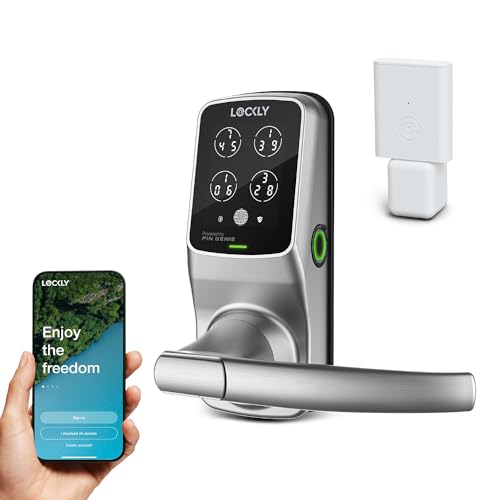
Lockly Secure Pro Smart Lock with Handle
Best for: doors needing an integrated handle and latch
- Access Methods
- Keypad, fingerprint, app, voice, keys
- Fingerprint Capacity
- Up to 99 fingerprints
- Included Door Hardware
- Handle
- Connectivity
- Wi-Fi
- Color
- Satin Nickel
- Dimensions
- 7.8 × 2.9 × 7.2 inches
The Lockly Secure Pro Smart Lock with Handle combines a latch lock and an integrated exterior handle for standard entry doors. It features a reshuffling PIN Genie keypad, a 3D biometric sensor storing up to 99 fingerprints, and Wi-Fi connectivity via the Lockly Home app. With an IPX4 weather rating and offline access codes, this unit fits your door if you need versatile keyless entry paired with an included handle.
Pros
- Stores up to 99 fingerprints on a 3D biometric sensor
- PIN Genie keypad reshuffles digits after each entry
- Includes integrated handle hardware with latch mechanism
- Built with an IPX4 water-resistance rating
- Emergency 9V battery terminal and physical key backup
Cons
- Latch configuration rather than a standalone deadbolt
- Extended functionality requires an optional Wi-Fi hub
Good fit if
- You want an integrated handle paired directly with a latch lock.
- You need to store multiple user profiles with up to 99 fingerprints.
- You need offline access codes for guests without phone apps.
Skip if
- You require a dedicated standalone deadbolt instead of a latch.
- You need an enclosure rating higher than IPX4 for severe exposure.
Verdict: Lockly Secure Pro Smart Lock with Handle provides complete latch hardware with biometric and shuffling PIN security. It gives you flexible access methods without installing a separate door handle.

Lockly Secure Link Wi-Fi Hub
Best for: adding Wi-Fi control to Bluetooth locks
- Connectivity
- Wi-Fi, Bluetooth
- Smart Home Compatibility
- Amazon Alexa, Google Assistant
- Color
- White
- Dimensions
- 2.95 × 1.3 × 2.09 inches
- Weight
- 3.36 ounces
The Lockly Secure Link Wi-Fi Hub is an add-on network adapter for your Bluetooth smart lock. It pairs with Wi-Fi, allowing you to lock or unlock your door remotely through the Lockly mobile app. The white unit measures 1.3 by 2.09 by 2.95 inches and weighs 0.21 pounds. It suits you if you need instant open notifications and voice commands via Amazon Alexa or Google Assistant.
Pros
- Connects Lockly Bluetooth smart locks to home Wi-Fi
- Enables remote lock and unlock features via the mobile app
- Sends real-time open and close status alerts
- Works with Amazon Alexa and Google Assistant voice commands
- Compact dimensions of 1.3 by 2.09 by 2.95 inches
Cons
- Requires a separate Lockly Bluetooth lock to operate
- Does not include physical deadbolt or keypad hardware
Good fit if
- You already own a compatible Lockly Bluetooth smart lock.
- You need remote access and instant status notifications on your phone.
- You want to use Amazon Alexa or Google Assistant voice controls.
Skip if
- You need a complete physical deadbolt replacement.
- You do not own a compatible Lockly lock.
Verdict: Lockly Secure Link Wi-Fi Hub adds remote control and real-time alerts to existing Bluetooth locks. It provides voice assistant integration without requiring a full deadbolt replacement.

Lockly PIN Genie Pro Zeno Smart Deadbolt
Best for: Apple Home users wanting keypad security
- Access Methods
- Keypad, Apple Home Key, app, key, voice
- Connectivity
- Built-in Wi-Fi
- Smart Home Compatibility
- Apple Home, Google Assistant, Alexa
- User Code Capacity
- Up to 65 PINs
- Color
- Satin Nickel
- Dimensions
- 5.31 × 3.03 × 4.53 inches
The Lockly PIN Genie Pro Zeno is a smart deadbolt featuring built-in Wi-Fi and Apple Home Key integration. You can unlock your door by tapping an iPhone or Apple Watch, entering a code on the peek-proof shuffling keypad, using voice commands, or turning a physical key. It stores up to 65 distinct PIN codes and fits standard door thicknesses between 1 3/8 inches and 3 1/8 inches without needing an external network hub.
Pros
- Built-in Wi-Fi eliminates the need for a separate hub
- Supports Apple Home Key for tap-to-unlock via iPhone or Apple Watch
- PIN Genie keypad shuffles digit positions to prevent code tracing
- Internal memory stores up to 65 unique access PINs
- Accommodates door thicknesses from 1 3/8 inches up to 3 1/8 inches
Cons
- Does not include a biometric fingerprint scanner
- Lacks RFID card or fob compatibility
Good fit if
- You rely on Apple Home and want tap-to-unlock access via iPhone or Apple Watch.
- You host guests and need to store multiple unique PIN codes on a shuffling keypad.
- You want direct Wi-Fi management without installing an additional plug-in bridge.
Skip if
- You prefer fingerprint or biometric scanning directly on the lock.
- You want to unlock your door using RFID cards or tags.
Verdict: Lockly PIN Genie Pro Zeno Smart Deadbolt combines native Apple Home Key support with a peek-proof keypad for convenient, key-free entry. It connects directly to your home network without requiring an add-on bridge.

Lockly Secure Pro Wi-Fi Smart Deadbolt
Best for: rental hosts and high-traffic family entryways
- Access Methods
- Keypad, fingerprint, key
- Fingerprint Capacity
- 99 fingerprints
- Connectivity
- Wi-Fi
- Color
- Venetian Bronze
- Dimensions
- 7.36 × 3.15 × 4.49 inches
- Weight
- 3.8 pounds
Lockly Secure Pro Wi-Fi Smart Deadbolt is a biometric electronic deadbolt that includes a Wi-Fi hub for remote access and real-time alerts. It features a peek-proof keypad that shuffles digit locations, a 3D fingerprint scanner storing up to 99 prints, and offline access code generation. It fits standard doors measuring 1⅜ to 2 inches thick. This model suits you if you want versatile keyless access without relying solely on an active internet connection.
Pros
- Stores up to 99 fingerprints with 0.3-second recognition
- PIN Genie keypad shuffles digit positions to prevent code theft
- Generates offline access codes that work without an internet connection
- Includes Wi-Fi connectivity for real-time mobile alerts
Cons
- Not compatible with storm doors or round latch holes
- Electronics warranty coverage is limited to 2 years
Good fit if
- You need multiple unlock methods including fingerprints, PINs, physical keys, and offline codes.
- You have a standard exterior door with a thickness between 1⅜ and 2 inches.
- You want peek-proof keypad security that scrambles digit locations after each entry.
Skip if
- You have a storm door or a door pre-drilled with round latch holes.
- You have a door thickness that falls outside the 1⅜ to 2-inch range.
Verdict: Lockly Secure Pro Wi-Fi Smart Deadbolt provides robust keyless security using a scrambling keypad, rapid fingerprint sensor, and offline access options. It delivers comprehensive entry control for standard doors without compromising manual key override capabilities.

Lockly Guard Secure Pro Commercial Deadbolt
Best for: commercial properties and high-traffic office doors
- Access Methods
- Fingerprint, keypad, app, key, voice
- Smart Home Compatibility
- Alexa, Google Assistant
- Color
- Matte Black
- Dimensions
- 8.4 × 8.8 × 4.6 inches
The Lockly Guard Secure Pro Commercial Deadbolt is a smart lock designed for commercial doors and high-traffic locations. It features a UL10B/10C fire rating, an 8 AA battery setup for extended uptime, and a 0.3-second 3D fingerprint reader. You also get an included Wi-Fi hub for remote management through Alexa, Google Assistant, or LocklyOS. It suits property managers and facility teams needing robust access control across offices or rental units.
Pros
- UL10B/10C fire-rated commercial construction powered by 8 AA batteries
- Fast 0.3-second 3D biometric fingerprint recognition
- Included Secure Link Wi-Fi Hub enables remote access and voice control
- Randomizing PIN Genie keypad prevents code theft
- Rekeyable cylinder simplifies mechanical key maintenance
Cons
- Not compatible with storm doors or round latch holes
- LocklyOS cloud management platform requires a paid subscription
- Incompatible with doors outside the 1⅜ to 2-inch thickness range
Good fit if
- You need a UL fire-rated smart deadbolt for an office, school, or commercial building.
- You manage multiple users or units and want app-based control with eKeys and offline codes.
- You want remote connectivity included out of the box via a Wi-Fi hub.
Skip if
- You have a storm door or a door prepped with round latch holes.
- You want full LocklyOS cloud platform features without paying an ongoing subscription fee.
- You need a lock for a door thinner than 1⅜ inches or thicker than 2 inches.
Verdict: Lockly Guard Secure Pro Commercial Deadbolt delivers commercial-grade security with fast biometric access, fire-rated hardware, and an included Wi-Fi hub. It provides dependable multi-user management for busy facilities and property teams.

Lockly Access Touch Retrofit Smart Lock
Best for: retrofitting deadbolts with fingerprint access
- Access Methods
- Fingerprint, app
- Connectivity
- Wi-Fi (via included hub)
- Installation Type
- Retrofit
- Fingerprint Capacity
- Up to 99 fingerprints
- Color
- Satin Nickel
- Dimensions
- 7.8 × 5.2 × 9 inches
Lockly Access Touch Retrofit Smart Lock turns your existing single-cylinder deadbolt into a connected lock without swapping exterior hardware. You get a 3D biometric fingerprint scanner storing up to 99 prints, plus remote app access through the bundled Secure Link Wi-Fi Hub. It fits doors 1⅜ to 2 inches thick. This model suits you if you want keyless fingerprint and phone access while keeping your original physical keys.
Pros
- Converts existing single-cylinder deadbolts without replacing exterior lock hardware
- Stores up to 99 fingerprints via 3D biometric sensor
- Includes Secure Link Wi-Fi Hub for remote monitoring and control
- Supports left and right swing doors 1⅜ to 2 inches thick
Cons
- Lacks a built-in keypad for PIN code entry
- Incompatible with storm doors and round latch holes
Good fit if
- You want to keep your existing exterior deadbolt hardware and keys.
- You prioritize fingerprint scanning and smartphone control over a numeric keypad.
- You need remote Wi-Fi management out of the box.
Skip if
- You prefer typing a PIN code on a physical or digital keypad.
- You have a storm door or round latch door preparation.
Verdict: Lockly Access Touch Retrofit Smart Lock upgrades your current deadbolt with app management and a 99-print biometric reader without replacing the exterior cylinder. It provides remote access through the included Wi-Fi hub while preserving your standard physical keys.

Lockly Secure Plus RFID Smart Deadbolt
Best for: offline code generation and flexible local entry
- Access Methods
- Keypad, fingerprint, key, RFID card
- Fingerprint Capacity
- 99 fingerprints
- Color
- Venetian Bronze
- Dimensions
- 7.36 × 3.15 × 4.49 inches
- Weight
- 1 pounds
The Lockly Secure Plus RFID Smart Deadbolt is a keyless electronic lock featuring a peek-proof PIN Genie keypad, RFID card access, and a biometric sensor that stores up to 99 fingerprints. It unlocks in 0.5 seconds and supports offline access codes without an active network connection. This deadbolt suits you if you manage guests or family members who prefer multiple entry methods without relying solely on an internet connection.
Pros
- Biometric sensor unlocks in 0.5 seconds and stores up to 99 fingerprints
- PIN Genie keypad scrambles digit positions to prevent code theft
- Supports offline access codes without Wi-Fi or internet
- Multiple entry methods including RFID cards and physical key
Cons
- Requires an additional Wi-Fi hub for remote smartphone alerts
- Rekeying cylinder requires a separate standard rekey kit
Good fit if
- You want offline access codes for visitors without an internet connection.
- You need alternative access options like RFID cards alongside fingerprint entry.
Skip if
- You want built-in Wi-Fi without buying an additional hub.
- You require remote phone monitoring straight out of the box.
Verdict: Lockly Secure Plus RFID Smart Deadbolt delivers fast biometric entry and rotating keypad security for everyday access. It provides reliable offline control, though remote monitoring requires purchasing an external hub.

Lockly Guard Secure Pro Deadbolt with Knob
Best for: commercial doors needing fire-rated smart hardware
- Access Methods
- fingerprint, keypad, app
- Connectivity
- Wi-Fi, Bluetooth
- Smart Home Compatibility
- Alexa, Google Assistant
- Included Door Hardware
- deadbolt and door knob
The Lockly Guard Secure Pro Deadbolt with Knob combines Bluetooth and Wi-Fi connectivity with a UL10B/10C fire rating. You get a 0.3-second biometric fingerprint scanner, a PIN Genie randomized keypad, and an included door knob. A separate Secure Link Wi-Fi hub provides remote management and Alexa or Google Assistant integration. This setup suits you if you manage commercial or multi-unit properties needing fire-rated hardware.
Pros
- UL10B/10C fire-rated construction with included matching door knob
- 0.3-second biometric fingerprint sensor and randomized PIN Genie keypad
- Comes with Secure Link Wi-Fi hub for Alexa and Google Assistant integration
- Supports Bluetooth, eKeys, eBadges, and offline access codes
Cons
- LocklyOS cloud management features require a paid subscription
- Requires eight AA batteries to operate
- Remote Wi-Fi features rely on an external plug-in hub
Good fit if
- You need fire-rated door hardware bundled with a matching door knob.
- You want local Bluetooth operation alongside a bundled Wi-Fi hub for remote access.
- You manage guest or tenant access via offline codes and randomized digital PINs.
Skip if
- You want built-in Wi-Fi without installing a separate plug-in hub.
- You prefer advanced LocklyOS cloud tools without paying subscription fees.
- You want a lock that runs on fewer than eight batteries.
Verdict: Lockly Guard Secure Pro Deadbolt with Knob delivers certified fire protection, fast biometric unlocking, and Bluetooth control backed by an included Wi-Fi hub. It provides dependable physical and digital entry management for shared and commercial spaces.
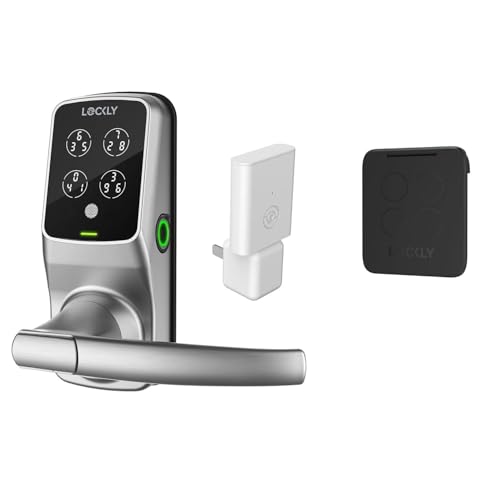
Lockly Secure Pro Touchscreen Smart Lock with Handle
Best for: touchscreen access with an included door handle
- Access Methods
- Keypad, fingerprint, app, voice, key
- Fingerprint Capacity
- Up to 99
- Included Door Hardware
- Handle
- Connectivity
- Wi-Fi
View on Amazon: Lockly Secure Pro Touchscreen Smart Lock with Handle
This Lockly Secure Pro model combines a smart lock with an integrated exterior handle and touchscreen cover. You can unlock it using the reshuffling PIN Genie digital keypad, a 3D fingerprint scanner storing up to 99 profiles, the mobile app, or physical backup keys. It carries an IPX4 weather rating and features a 9V emergency battery terminal, making it a dependable choice if you need full handle hardware with multiple entry options.
Pros
- PIN Genie keypad reshuffles digit locations to protect passcodes
- 3D biometric fingerprint scanner stores up to 99 prints
- Includes matching door handle hardware and touchscreen cover
- Emergency 9V external battery terminal prevents lockout from dead batteries
Cons
- Requires an optional Wi-Fi hub for extended functionality
- Weather resistance rating is limited to IPX4 splash protection
Good fit if
- You want an included door handle packaged with your smart deadbolt.
- You prefer a touchscreen keypad that scrambles numbers to hide PINs.
- You manage access for multiple users and need up to 99 fingerprint slots.
Skip if
- You already have exterior handle hardware and only need a deadbolt.
- You want full extended smart features without buying an optional hub.
Verdict: Lockly Secure Pro Touchscreen Smart Lock with Handle provides versatile access via a scrambling PIN keypad, a 99-fingerprint scanner, and an included exterior handle. It delivers dependable physical key and emergency 9V backup options in an IPX4-rated design.
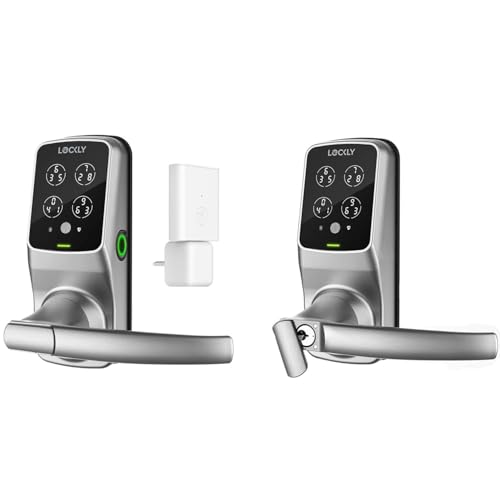
Lockly Secure Pro Wi-Fi Smart Lock with Handle
Best for: all-in-one handle sets with fingerprint access
- Access Methods
- Keypad, fingerprint, app, voice, key
- Fingerprint Capacity
- Up to 99
- Included Door Hardware
- Handle
- Connectivity
- Wi-Fi
View on Amazon: Lockly Secure Pro Wi-Fi Smart Lock with Handle
This Lockly smart lock set includes an integrated handle, deadbolt security, and an IPX4 weather-resistance rating. You get multiple access options, including a 3D biometric scanner holding up to 99 fingerprints and a reshuffling PIN Genie keypad. Built-in Wi-Fi and Lockly Home app integration deliver real-time activity alerts and offline code generation. It suits you if you want handle hardware paired with versatile keyless entry options.
Pros
- PIN Genie keypad reshuffles digits after every use
- 3D biometric fingerprint sensor stores up to 99 prints
- Includes door handle hardware and physical backup keys
- 9V external battery terminal provides emergency backup power
Cons
- Requires optional Secure Link hub for extended Wi-Fi functionality
- Includes a handle assembly, which is unnecessary if keeping existing door hardware
Good fit if
- You need a complete set that includes both a smart lock and handle hardware.
- You want to store up to 99 unique fingerprints for household or guest access.
- You prefer a keypad that shuffles number locations after every unlock.
Skip if
- You already have standard door handle hardware and only need a standalone deadbolt.
- You want full extended network features without buying an optional hub.
Verdict: Lockly Secure Pro Wi-Fi Smart Lock with Handle combines a shuffling keypad, 99-fingerprint scanner, and bundled handle hardware. It gives you flexible entry methods backed by offline access codes and emergency power terminals.
Specifications side by side
| Spec | Lockly Visage Zeno Smart Lock | Lockly Secure Pro Smart Lock with Handle | Lockly Secure Pro Wi-Fi Deadbolt | Lockly Secure Plus Biometric Deadbolt | Lockly Secure Pro Zeno Deadbolt with Apple Home Key | Lockly Secure Pro Smart Lock with Handle | Lockly Secure Link Wi-Fi Hub | Lockly PIN Genie Pro Zeno Smart Deadbolt | Lockly Secure Pro Wi-Fi Smart Deadbolt | Lockly Guard Secure Pro Commercial Deadbolt | Lockly Access Touch Retrofit Smart Lock | Lockly Secure Plus RFID Smart Deadbolt | Lockly Guard Secure Pro Deadbolt with Knob | Lockly Secure Pro Touchscreen Smart Lock with Handle | Lockly Secure Pro Wi-Fi Smart Lock with Handle |
|---|---|---|---|---|---|---|---|---|---|---|---|---|---|---|---|
| Access Methods | Face, fingerprint, keypad, key, app | Fingerprint, PIN, app, voice, key | Fingerprint, keypad, app, key, voice | Keypad, fingerprint, key | Fingerprint, keypad, app, key, voice | Keypad, fingerprint, app, voice, keys | not specified | Keypad, Apple Home Key, app, key, voice | Keypad, fingerprint, key | Fingerprint, keypad, app, key, voice | Fingerprint, app | Keypad, fingerprint, key, RFID card | fingerprint, keypad, app | Keypad, fingerprint, app, voice, key | Keypad, fingerprint, app, voice, key |
| Connectivity | Built-in Wi-Fi | Built-in Wi-Fi | Built-in Wi-Fi | not specified | Built-in Wi-Fi | not specified | Wi-Fi, Bluetooth | Built-in Wi-Fi | not specified | not specified | Wi-Fi (via included hub) | not specified | Wi-Fi, Bluetooth | not specified | not specified |
| Smart Home Compatibility | Apple Home, Alexa, Google Assistant | Amazon Alexa, Google Assistant | Amazon Alexa, Google Assistant | not specified | Apple Home, Alexa, Google Assistant | not specified | Amazon Alexa, Google Assistant | Apple Home, Google Assistant, Alexa | not specified | Alexa, Google Assistant | not specified | not specified | Alexa, Google Assistant | not specified | not specified |
| Installation Type | not specified | not specified | not specified | not specified | not specified | not specified | not specified | not specified | not specified | not specified | Retrofit | not specified | not specified | not specified | not specified |
| Fingerprint Capacity | Up to 99 prints | 99 | not specified | 99 fingerprints | not specified | Up to 99 fingerprints | not specified | not specified | 99 fingerprints | not specified | Up to 99 fingerprints | 99 fingerprints | not specified | Up to 99 | Up to 99 |
| User Code Capacity | not specified | 49 | not specified | not specified | Up to 65 PIN codes | not specified | not specified | Up to 65 PINs | not specified | not specified | not specified | not specified | not specified | not specified | not specified |
| Included Door Hardware | not specified | Handle | Deadbolt | not specified | not specified | Handle | not specified | not specified | not specified | not specified | not specified | not specified | deadbolt and door knob | Handle | Handle |
| Access Method | Fingerprint | Fingerprint | Fingerprint | Fingerprint | Key | not specified | not specified | Key | not specified | Fingerprint | not specified | Fingerprint | Keypad, Fingerprint | Touchscreen | not specified |
| Color | Satin Nickle | Satin Nickle | Satin Nickel | Matte Black | Satin Nickle | Satin Nickel | White | Satin Nickel | Venetian Bronze | Matte Black | Satin Nickel | Venetian Bronze | not specified | not specified | not specified |
| Application | not specified | not specified | not specified | not specified | Home | not specified | not specified | Home | not specified | not specified | not specified | not specified | not specified | not specified | not specified |
| Included Hardware | not specified | Handle | not specified | not specified | not specified | Handle | not specified | not specified | not specified | not specified | not specified | not specified | Knob | Handle | Handle |
| Dimensions | 8 × 8.8 × 5.3 inches | 6.5 × 6.6 × 2.9 inches | 8.4 × 8.8 × 4.6 inches | 7.36 × 3.15 × 4.49 inches | 5.31 × 3.03 × 4.53 inches | 7.8 × 2.9 × 7.2 inches | 2.95 × 1.3 × 2.09 inches | 5.31 × 3.03 × 4.53 inches | 7.36 × 3.15 × 4.49 inches | 8.4 × 8.8 × 4.6 inches | 7.8 × 5.2 × 9 inches | 7.36 × 3.15 × 4.49 inches | not specified | not specified | not specified |
| Weight | not specified | 5.25 pounds | not specified | 1 pounds | 3.31 pounds | 2.5 pounds | 3.36 ounces | 3.31 pounds | 3.8 pounds | not specified | not specified | 1 pounds | not specified | not specified | not specified |
| Model | PGK728WRHK | PGD628WE1 | PGD728WSNE1 | 06583424-e1c8-4c65-a588-7615cf5da261 | PGK728WHK | PGD628W | PGH200 | PGK7SWHK | PGD728WAVB | PGD728WPU | PGD7AWSN | PGD728FVB | not specified | not specified | not specified |
| Size | not specified | not specified | not specified | Right Fingerprint Edition | 5 5⁄16 in x 2 9⁄16 in x 1 1⁄8 in | Latch | PGH200 | not specified | not specified | not specified | not specified | Right Fingerprint Edition | not specified | not specified | not specified |
The Lockly Lineup at a Glance
The 15 models differ mainly by entry method and smart home connectivity. If you rely on Apple devices, models like the Lockly Visage Zeno Smart Lock and Lockly Secure Pro Zeno Deadbolt with Apple Home Key feature native Apple Home Key and integrated Wi-Fi. These deadbolts suit you if you want hands-free facial recognition or phone unlocking without an extra network bridge.
Other designs focus on latch hardware and offline operation. If you need an exterior handle, options such as the Lockly Secure Pro Smart Lock with Handle combine biometric entry with an integrated lever. For rental doors needing local security, the Lockly Secure Plus Biometric Deadbolt provides offline PIN access and stored fingerprints without requiring permanent network connectivity.
Where the Lockly Lineup Fits
You can select hardware ranging from compact 3.03-inch by 4.53-inch deadbolts up to 8.8-inch units and 5.2-pound handle sets. Your form factor options include standalone deadbolts, integrated lever handles, an exterior knob, an interior retrofit unit, and a plug-in hub. None of the listed 15 models offer exterior lighting options, illuminated casings, or integrated video streaming displays. You are limited to Satin Nickel, Matte Black, and Venetian Bronze lock finishes. Wireless connectivity is also strictly confined to Wi-Fi or Bluetooth, with no auxiliary smart home radio options listed.
How to Choose a Lockly Smart Deadbolt
-
Biometric and Facial Recognition
Check the primary access hardware on the exterior escutcheon. Biometric readers range from 99-print capacitive sensors to optical or facial recognition systems. If you want touch-free access, look for models with facial recognition like the Lockly Visage Zeno Smart Lock. Standard fingerprint sensors record entries in 0.2 seconds and store up to 99 profiles for family members or staff. Keypad-only models suit those who prefer PINs without scanning physical traits.
-
Wireless Connectivity Options
Determine how the lock connects to your home network for remote management. Some locks include built-in Wi-Fi radios that communicate directly with your router without extra hardware. Other models rely solely on Bluetooth and require an add-on bridge like the Lockly Secure Link Wi-Fi Hub to send real-time alerts or enable remote locking. If you only need local smartphone control and manual operation, a basic Bluetooth or offline model avoids network setup entirely.
-
Door Hardware Configuration
Match the lock assembly to your door prep holes and hardware layout. Standard smart deadbolts fit single-bore installations above an existing passage handle. If your door has a combined latch and lever, look for units like the Lockly Secure Pro Smart Lock with Handle that replace both components at once. Retrofit designs mount strictly to the interior side of the door, allowing you to keep your exterior key cylinder and original keys intact.
-
Platform and Voice Compatibility
Check which smart home ecosystems the lock supports before deciding. If your household runs on Apple hardware, check for direct Apple Home Key integration on models like the Lockly Secure Pro Zeno Deadbolt with Apple Home Key. This lets you tap an iPhone or Apple Watch to unlock. Other models specify voice control through Amazon Alexa or Google Assistant. Verifying platform compatibility ensures the lock links cleanly with your current voice assistants and routines.
-
Offline Code Management
Consider how you will issue guest access if internet access fails or if the property lacks a permanent network connection. Certain locks generate offline access codes directly, allowing you to share valid entry PINs with guests without active Wi-Fi. Keypads featuring scrambling layouts prevent onlookers from guessing codes based on finger placement. Look at the Lockly Secure Plus Biometric Deadbolt if you manage rental entryways and need reliable offline PIN generation and local fingerprint storage.
-
Emergency Power and Overrides
Check the secondary entry options for situations where batteries deplete completely. Most smart deadbolts feature physical keyways hidden beneath sliding covers, but you should also verify external power backup terminals. Certain models include external 9V battery terminals, such as the Lockly Secure Pro Touchscreen Smart Lock with Handle. Placing a standard 9V battery against these contacts provides temporary power to enter a code or scan a print if the internal cells run out.
Frequently asked questions
Do Lockly smart deadbolts require an external Wi-Fi hub for remote access?
Not all models require a hub; several feature built-in Wi-Fi, while others use Bluetooth or an add-on bridge. Lockly Visage Zeno and Lockly Secure Pro Wi-Fi connect directly without an external hub. In contrast, models like Lockly Secure Plus Biometric Deadbolt rely on Bluetooth locally and require an accessory like the Lockly Secure Link Wi-Fi Hub (PGH200) or an included bridge to manage remote access alerts.
How can you unlock a Lockly deadbolt if the batteries die?
You can access the lock using a physical key override or exterior emergency power contacts. Hardware like the Lockly Secure Pro Touchscreen Smart Lock with Handle includes emergency 9V battery terminals on the exterior assembly alongside a standard physical key backup. These temporary power contacts allow you to power the electronics from outside, enter your credentials, and replace the internal batteries safely.
Which Lockly deadbolts work natively with Apple Home Key?
The Zeno series deadbolts provide native Apple Home Key support. Models such as the Lockly Visage Zeno Smart Lock, Lockly Secure Pro Zeno Deadbolt, and Lockly PIN Genie Pro Zeno Smart Deadbolt integrate Apple Home Key functionality. These units connect directly to your home network over Wi-Fi without needing an external bridge, allowing you to unlock your door using an iPhone or Apple Watch.
Can you upgrade an existing deadbolt without replacing the exterior hardware?
Yes, you can install a retrofit unit like the Lockly Access Touch Retrofit Smart Lock. This model updates your door hardware from the interior side while keeping your existing exterior lock cylinder and traditional keys. It adds a 99-print biometric reader and app controls to your setup, connecting remotely through an included Wi-Fi hub so you avoid swapping out exterior door trim.
What is the fingerprint capacity on Lockly biometric deadbolts?
Most Lockly biometric locks store up to 99 individual fingerprints. Deadbolts such as the Lockly Secure Plus Biometric Deadbolt, Lockly Access Touch Retrofit Smart Lock, and Lockly Secure Pro Touchscreen Smart Lock with Handle offer this 99-fingerprint memory profile. This capacity lets you register multiple fingers per user or grant access to multiple family members, employees, or recurring visitors.
Does Lockly offer commercial-grade hardware for fire-rated doors?
Yes, the Lockly Guard series provides fire-rated smart lock options for commercial and shared spaces. Models like the Lockly Guard Secure Pro Commercial Deadbolt and Lockly Guard Secure Pro Deadbolt with Knob deliver certified fire protection alongside fast biometric unlocking. Both packages come with an included Wi-Fi hub, and the knob model also provides integrated Bluetooth and voice assistant support for Alexa and Google Assistant.
How do offline access codes work on Lockly deadbolts?
Offline codes allow guests to unlock the deadbolt without the lock being connected to the internet. Models like the Lockly Secure Plus Biometric Deadbolt, Secure Plus RFID Deadbolt, and Secure Pro Wi-Fi Smart Deadbolt support offline code generation. You can generate time-sensitive entry codes through the app and send them to guests or rental visitors, granting access even when your lock operates without an active network bridge.